
If you’ve ever looked at your energy bill or smart meter and wondered what is a kWh ? you’re not alone. It’s one of the most important numbers in your household energy data—and understanding it can help you take control of your electricity costs.
This guide explains what a kWh is, how it affects your energy bill, and how to use this knowledge to make smarter decisions about your appliances, routines, and energy-saving strategies.
What Does kWh Mean?
A kilowatt-hour (kWh) is a unit of energy. It measures how much electricity you use over time.
1 kWh = using 1,000 watts for 1 hour
It’s not about how powerful something is (that’s watts or kilowatts), but how long you use it. For example:
- A 100W light bulb running for 10 hours = 1 kWh
- A 2,000W heater running for 30 minutes = 1 kWh
- A 3,000W kettle running for 20 minutes = 1 kWh
So when your energy bill says you used 300 kWh last month, it means your household consumed the equivalent of 300,000 watts over one hour—or smaller amounts over many hours.
kW vs kWh: What’s the Difference?
- kW (kilowatt) = the rate of power an appliance uses
- kWh (kilowatt-hour) = the total energy consumed over time
Think of kW as the speed of a car, and kWh as the distance travelled. A 2kW heater is “fast”—it uses energy quickly. But if you only run it for 15 minutes, it won’t use much overall.
Where You’ll See kWh in the UK
1. Your Energy Bill
Your supplier charges you per kWh used. For example:
- Electricity: ~28p per kWh
- Gas: ~7p per kWh
- Standing charge: ~53p/day (a fixed daily fee)
The more kWh you use, the higher your bill.
2. Smart Meters
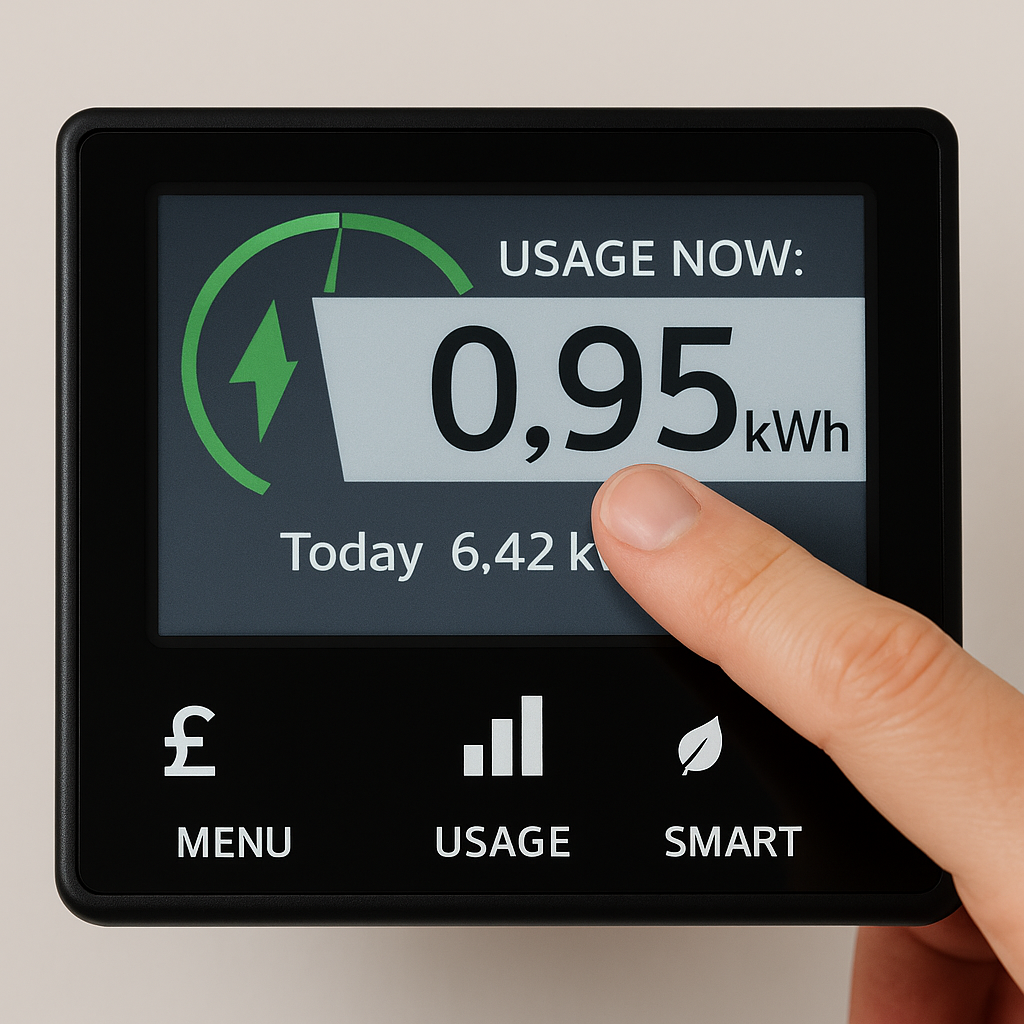
Smart meters show your real-time usage in kWh. You can see spikes when the oven, kettle, or heater is on—and track patterns across the day.
3. Appliance Labels
Some appliances list estimated annual kWh usage. For example:
- Fridge freezer: 200–300 kWh/year
- Washing machine: 150–250 kWh/year
- Tumble dryer: 300–500 kWh/year
This helps you compare models and choose energy-efficient options.
4. Smart Plug Apps
Smart plugs with energy monitoring show how much kWh each device uses. This is especially useful for heaters, towel rails, and entertainment systems.
How kWh Affects Your Energy Costs
Let’s say your electricity rate is 28p per kWh. Here’s how that translates:
| Appliance | Power Rating | Daily Use | Daily kWh | Monthly Cost |
|---|---|---|---|---|
| Kettle | 3kW | 20 mins | 1 kWh | £8.40 |
| Heated Blanket | 100W | 2 hours | 0.2 kWh | £1.68 |
| Oil-Filled Radiator | 2kW | 3 hours | 6 kWh | £50.40 |
| Towel Rail | 150W | 4 hours | 0.6 kWh | £5.04 |
| Slow Cooker | 200W | 6 hours | 1.2 kWh | £10.08 |
| TV + Console | 200W | 4 hours | 0.8 kWh | £6.72 |
Even small devices add up. A few tweaks to your schedule or habits can save £10–£30/month.
How to Read Your kWh Data
Whether you’re using a smart meter or a smart plug app, here’s what to look for:
🔹 Spikes
Sudden jumps in usage usually mean a high-wattage appliance is on—like a kettle, oven, or heater.
🔹 Baseload
This is your background usage when nothing major is running. It includes fridge, router, standby devices. A high baseload means you’re wasting energy.
🔹 Patterns
Compare weekdays vs weekends, morning vs evening. You might find:
- Heaters running longer than needed
- Devices left on overnight
- High usage during peak-rate hours
Common Appliances and Their kWh Impact
Here’s a breakdown of typical UK appliances and how much energy they use:
| Appliance | Power Rating | Typical Daily Use | Daily kWh | Monthly Cost (@28p/kWh) |
|---|---|---|---|---|
| Kettle | 3kW | 20 mins | 1 kWh | £8.40 |
| Heated Blanket | 100W | 2 hours | 0.2 kWh | £1.68 |
| Oil-Filled Radiator | 2kW | 3 hours | 6 kWh | £50.40 |
| Towel Rail | 150W | 4 hours | 0.6 kWh | £5.04 |
| Slow Cooker | 200W | 6 hours | 1.2 kWh | £10.08 |
| Washing Machine | 2kW | 1 cycle/day | 2 kWh | £16.80 |
| Tumble Dryer | 2.5kW | 1 cycle/day | 2.5 kWh | £21.00 |
| TV + Console | 200W | 4 hours | 0.8 kWh | £6.72 |
| Fridge Freezer | 100W | 24/7 | 2.4 kWh | £20.16 |
How Smart Plugs Help You Understand kWh
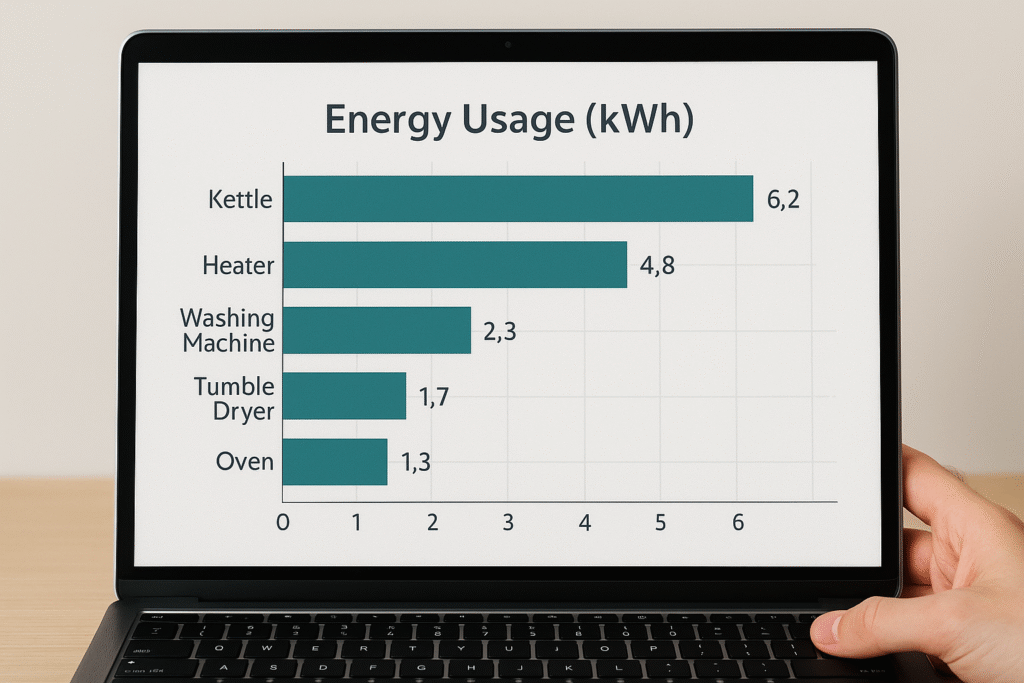
Smart plugs with energy monitoring give you real-time data per device. Benefits include:
- Tracking usage: See how much energy your heater or kettle uses daily
- Setting timers: Limit runtime to avoid waste
- Spotting high-draw devices: Identify appliances that spike your usage
- Comparing routines: See how weekday vs weekend habits affect your bill
They’re especially useful for:
- Electric heaters
- Heated blankets
- Towel rails
- Slow cookers
- Entertainment systems
Tips to Reduce kWh Without Sacrificing Comfort
You don’t need to freeze or live in darkness to cut energy use. Try these:
✅ Use Smart Scheduling
Set timers for heaters, towel rails, and entertainment devices. Avoid leaving things on overnight.
✅ Boil Only What You Need
A full kettle uses 3kW. Boiling one mug’s worth saves energy and time.
✅ Switch Off at the Plug
Standby power adds up. TVs, consoles, routers, and chargers all draw energy when idle.
✅ Choose Energy-Efficient Appliances
Look for low annual kWh ratings. A fridge that uses 180 kWh/year costs ~£50 less than one using 350 kWh/year.
✅ Monitor and Adjust
Use smart plug apps to track usage. Spot patterns and tweak routines to reduce waste.
FAQs About kWh and UK Energy Data
What’s the average UK household electricity usage? A medium-use household in the UK uses around 2,900 kWh/year for electricity and 12,000 kWh/year for gas.
Why does my smart meter show spikes? Spikes usually mean a high-wattage appliance is running—like a kettle, oven, or electric heater.
How accurate are smart plug readings? Most are accurate within 5–10%. They’re great for spotting trends and comparing devices.
Can I reduce my bill just by watching kWh? Yes. Awareness leads to action. Even small changes—like reducing heater runtime—can save £10–£30/month.
What’s the difference between standing charge and kWh cost? Standing charge is a fixed daily fee (~53p/day). kWh cost is what you pay per unit of energy used (~28p/kWh for electricity).
🔗 Smart Plug Smarts You’ll Want Next ⚡
Now that you understand what a kWh really means, the next step is using that knowledge to automate your home safely and efficiently. Whether you’re pairing smart plugs with heaters or building daily routines that cut energy waste, these guides will help you take control.
→ Read next: Smart Plugs & Heaters: The UK Safety Rules Nobody Tells You (Guide)
→ Explore: 12 Daily Routines You Can Automate With Smart Plugs (Real UK Life Examples)
Final Thoughts: kWh Is the Key to Smarter Energy Use
Understanding kWh is like unlocking the secret language of your energy bill. It helps you see which appliances cost the most, when your usage spikes, and where you can cut back without sacrificing comfort. Whether you’re using a smart meter, a plug-in monitor, or just reviewing your bill, kWh is the number that tells the real story.
If you want to track and reduce your energy use, start with a smart plug that shows kWh data. Two excellent options are:
🔌 Meross Smart Plug WiFi Socket UK – 13A Overload Protection for Heaters, Alexa, Google, HomeKit Compatible
This versatile smart plug is ideal for UK households looking to automate high-wattage appliances safely. With a full 13A rating and built-in overload protection, it’s perfect for electric heaters, towel rails, and kettles. Compatible with Alexa, Google Assistant, and Apple HomeKit, it offers flexible scheduling, voice control, and remote access—all without needing a hub. A great choice for tracking energy use and reducing standby power.
🔌 TP-Link Tapo P110 Smart Plug UK – Energy Monitoring, 13A Rated for Electric Heaters, Alexa & Google
👉 This plug gives you real-time kWh tracking, scheduling, and voice control—all in a compact, UK-certified design. It’s ideal for monitoring high-draw appliances like heaters, kettles, and entertainment systems, helping you spot waste and reduce your bill.
Learn how to monitor and control electricity use in every room with the Smart Energy Monitors & Plugs Hub from smart plugs to power meters and automation tips that lower your bills.

About The Author – Andrew Marshall
Andrew Marshall is a Scottish homeowner and the creator of Save Wise Living. He shares practical ways to reduce energy bills, improve home efficiency, and make everyday household routines cheaper and simpler.