
Smart meters are often marketed as the key to understanding your energy usage. But what if you don’t have one—or don’t want one? The truth is, you can track energy use more precisely without a smart meter, especially when it comes to individual appliances. This guide shows you how to monitor device-by-device electricity consumption using affordable tools and simple strategies, tailored for UK households.
What You’re Really Trying to Track: kWh, Watts, and Runtime
Before diving into tools, it helps to understand what you’re actually measuring.
- Watts (W) tell you how powerful a device is. A kettle might be 3,000W (3kW), while a router is just 10W.
- kWh (kilowatt-hours) measure how much energy you use over time.
- Runtime is how long the device is on. Multiply watts by hours to get kWh.
For example:
- A 2kW heater running for 1 hour = 2 kWh
- A 100W lamp running for 10 hours = 1 kWh
- A 3kW kettle used for 20 minutes = 1 kWh
Your electricity bill is based on total kWh used, typically charged at around 28p per kWh in the UK.
Why Device-Level Tracking Matters
Smart meters show whole-house usage, but they don’t tell you which devices are responsible. That’s where device-level tracking shines.
Benefits include:
- Identifying high-draw appliances (heaters, tumble dryers, kettles)
- Spotting hidden waste (standby power, forgotten towel rails)
- Making smarter decisions about scheduling and usage
- Testing changes (e.g. reducing heater runtime) and seeing real savings
Even small tweaks—like turning off a 150W towel rail for 4 hours—can save £5/month.
3 Easy Ways to Track Energy Use Without a Smart Meter
🔌 1. Smart Plugs with Energy Monitoring
Smart plugs are Wi-Fi-enabled sockets that let you control and monitor devices remotely. Many UK models include real-time kWh tracking, timers, and overload protection.
Best for:
- Electric heaters
- Kettles
- Towel rails
- Heated blankets
- TVs and consoles
- Routers and chargers
Features to look for:
- 13A rating (for high-wattage appliances)
- Energy monitoring (kWh tracking)
- Scheduling and timers
- Alexa/Google/HomeKit compatibility
- UKCA or CE certification
Top picks:
- TP-Link Tapo P110 Smart Plug UK – Energy Monitoring, 13A Rated for Electric Heaters, Alexa & Google
- Meross Smart Plug WiFi Socket UK – 13A Overload Protection for Heaters, Alexa, Google, HomeKit Compatible
These plugs show exactly how much energy each device uses, helping you spot waste and reduce your bill.
📟 2. Plug-in Power Meters
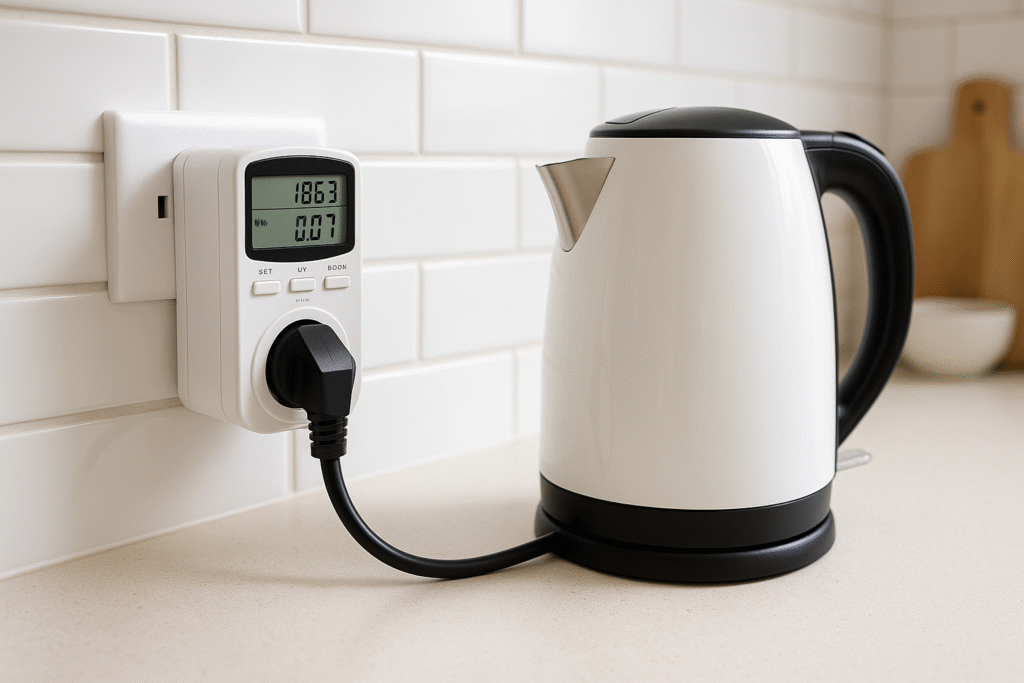
These are simple devices you plug into the wall, then plug your appliance into them. They display watts, volts, and kWh on a small screen.
Pros:
- No Wi-Fi or app needed
- Instant readings
- Great for one-off checks
Cons:
- No remote access or scheduling
- Manual tracking only
Best for:
- Testing older appliances
- Comparing models
- Non-smart households
Popular models include the Efergy Elite and Kuman Plug-in Power Meter, both available on Amazon UK.
📱 3. App-Based Ecosystems (Tapo, Meross, Smart Life)
If you’re using smart plugs, the companion apps offer powerful insights:
- Daily, weekly, and monthly kWh tracking
- Device grouping (e.g. “heating zone”)
- Remote control and automation
- Voice assistant integration
Apps like Tapo, Smart Life, and Meross are free and easy to use. They let you compare usage across devices and test changes in real time.
What to Track First: High-Impact Devices
Start with appliances that use the most energy or run for long periods. Here’s a priority list:
| Device | Power Rating | Typical Use | Why It Matters |
|---|---|---|---|
| Electric heater | 2–3kW | 2–4 hrs/day | Huge energy draw, costly if left on |
| Kettle | 3kW | 15–20 mins | Easy to overuse |
| Towel rail | 150–300W | 4+ hrs/day | Often left on all day |
| Heated blanket | 100W | 2–3 hrs | Low draw but adds up |
| TV + console | 150–300W | 3–5 hrs | Standby waste |
| Router | 10–20W | 24/7 | Small but constant |
| Slow cooker | 200W | 6–8 hrs | Efficient but worth tracking |
These devices can account for 30–50% of your electricity bill if unmanaged.
How to Interpret the Data (Without Getting Overwhelmed)
Once you start tracking, focus on patterns—not perfection.
Look for:
- Daily kWh totals: Which devices use the most?
- Spikes in usage: When do they happen?
- Overnight draw: What’s running when you’re asleep?
- Standby power: Are devices drawing energy when “off”?
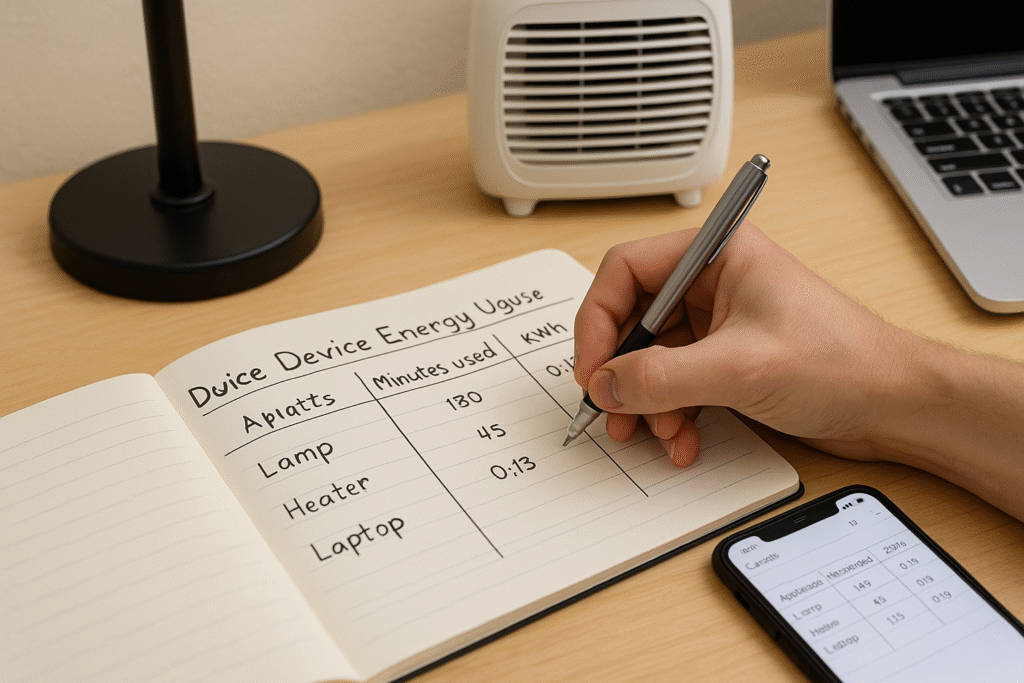
Use app graphs or manual logs to compare weekdays vs weekends, and test changes like shorter heater runtime or unplugging devices overnight.
How to Act on What You Find
Tracking is only useful if you act on it. Here’s how:
✅ Set Timers
Use smart plug schedules to limit heater, towel rail, and entertainment device runtime.
✅ Unplug or Auto-Off
Turn off devices at the plug, or set auto-off rules for things like hair straighteners or heated blankets.
✅ Replace Inefficient Appliances
If your fridge or tumble dryer uses 400+ kWh/year, consider upgrading to a more efficient model.
✅ Test and Learn
Use smart plugs to test changes—like reducing heater use by 30 minutes—and see the impact in kWh.
🔗 Smarter Routines, Smarter Savings ⚡
Once you’ve started tracking energy use per device, the next step is using that insight to automate your routines and understand your actual energy costs. These guides will help you turn data into action—saving time, money, and hassle.
→ Explore: 12 Daily Routines You Can Automate With Smart Plugs (Real UK Life Examples)
→ Read next: kWh Explained Simply — What Your Energy Data Is Really Telling You
FAQs: Energy Tracking Without a Smart Meter
Can I track usage without Wi-Fi? Yes—plug-in power meters work offline. Smart plugs need Wi-Fi for full functionality.
Are smart plugs safe for heaters? Yes—if rated for 13A and include overload protection. Always check the wattage of your appliance.
How accurate are plug-in monitors? Most are accurate within 5–10%. They’re ideal for spotting trends and comparing devices.
Will this help lower my bill? Absolutely. Even small changes—like reducing towel rail use—can save £5–£10/month.
Do I need to track every device? No. Focus on the top 3–5 energy users first. That’s where the biggest savings are.
Final Thoughts: Start Small, Learn Fast, Save More
You don’t need a smart meter to understand your energy use. In fact, tracking device-by-device gives you more control, more insight, and more opportunity to save. Whether you’re using smart plugs, power meters, or just a notebook and timer, the key is awareness.
Start with one plug, one device, and one habit. Track your kettle, your heater, or your towel rail. See how much it costs. Then make a change—and watch your bill respond.
Recommended tools to get started:
🔌 TP-Link Tapo P110 Smart Plug UK – Energy Monitoring, 13A Rated for Electric Heaters, Alexa & Google
👉UK Real-time kWh tracking, scheduling, and voice control in a compact, UK-certified design.
🔌 Meross Smart Plug WiFi Socket UK – 13A Overload Protection for Heaters, Alexa, Google, HomeKit Compatible
👉 UK Safe for high-wattage appliances, with app control and energy monitoring—ideal for UK households.
With the right tools and a little curiosity, you’ll be surprised how much energy (and money) you can save.
Learn how to monitor and control electricity use in every room with the Smart Energy Monitors & Plugs Hub from smart plugs to power meters and automation tips that lower your bills.

About The Author – Andrew Marshall
Andrew Marshall is a Scottish homeowner and the creator of Save Wise Living. He shares practical ways to reduce energy bills, improve home efficiency, and make everyday household routines cheaper and simpler.