
What hubs and bridges actually do in a UK home
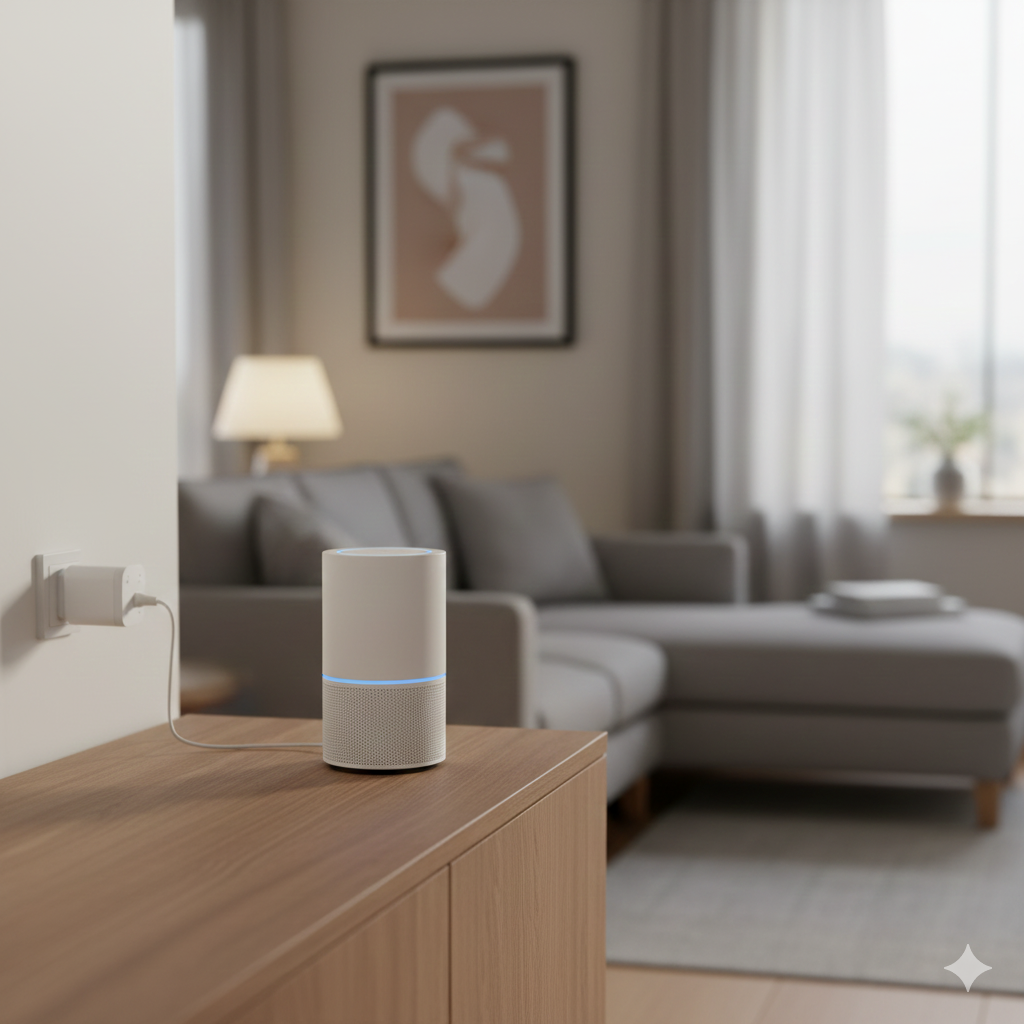
Smart hubs and bridges connect your lights, locks, sensors, and cameras into one reliable system. A hub speaks “low‑power” home protocols like Zigbee or Z‑Wave and runs automations, while bridges connect brand‑specific devices (like certain bulbs or locks) to your wider ecosystem. The payoff is consistent control, faster responses, and fewer app headaches — especially when you’ve got mixed brands or older devices. A good hub also adds local processing, so lights turn on even if your internet drops.
Protocols explained without the jargon
- Zigbee:
- Strengths: Low power, large device catalogs (bulbs, sensors, plugs). Mesh network improves range as you add mains‑powered devices.
- Ideal for: Multi‑room lighting, sensors that must be fast and reliable.
- Z‑Wave:
- Strengths: Designed for home automation with robust device interoperability; great for locks and environmental sensors.
- Ideal for: Security‑leaning setups where reliability and range matter.
- Matter + Thread:
- Strengths: Common language for smart devices across brands; Thread is a low‑power mesh built for speed and reliability.
- Ideal for: Future‑proofing so devices work with multiple ecosystems (Apple, Google, Amazon).
- Wi‑Fi bridges:
- Strengths: Connect brand‑specific gear to your wider home; easy app onboarding.
- Ideal for: Upgrading legacy devices without replacing them.
Cloud vs local automations
- Local automations (preferred):
- Benefits: Faster, more private, and continue working during internet outages.
- Use cases: Hallway motion → lights, door unlock → foyer light + camera clip, window opened → heating paused.
- Cloud automations:
- Benefits: Easier setup and remote access; powerful routines tied to accounts.
- Trade‑offs: Slower triggers, dependent on internet; consider privacy.
A balanced UK setup runs critical routines locally (security, lighting) and uses cloud for “nice‑to‑have” extras (notifications, voice assistant tie‑ins).
Selection criteria that actually matter
- Device compatibility:
- Lights: Check Zigbee/Matter support and bridge options.
- Locks: Prioritise Z‑Wave or Matter‑ready locks.
- Sensors: Aim for Zigbee/Z‑Wave for battery life and speed.
- Local control:
- Look for: Local processing, LAN camera viewing, and rules that run without internet.
- Ecosystem fit:
- Voice assistants: Alexa/Google/Siri.
- Mobile platforms: iOS/Android convenience, Apple Home compatibility if needed.
- Security & privacy:
- Data: Local storage options and clear retention controls.
- Access: Multi‑user roles, audit trails for locks/alarms.
- Setup & maintenance:
- Firmware updates: Stable cadence, easy rollbacks.
- Community support: Helpful forums, templates, and device handlers.
Top hubs and bridges to consider in the UK
Tapo H500 Smart IoT Hub
A standout for homes that want local storage and camera integration without monthly fees. It supports Matter, includes a smart alarm/chime, has 16GB onboard storage and can expand up to a 2.5″ SATA drive — compelling for doorbells and cameras. Ideal if you’re building a cohesive system with lights, sensors, and entry devices, and want simple onboarding with powerful routines.
- Best for: Cost‑savvy households needing local video and device control without subscriptions.
- Why it helps UK homes: Doorway camera clips and notifications continue even if broadband wobbles; storage stays in your home.
Aeotec Smart Home Hub (SmartThings)
SmartThings with Aeotec hardware gives broad Zigbee, Z‑Wave, and Matter compatibility plus polished mobile apps. Strong automations for multi‑brand lights, locks, and sensors; deep device library makes mixed setups easier to unify.
- Best for: Households with mixed brands and voice assistants wanting an easy, powerful rules engine.
- Why it helps UK homes: Smooth routines across lighting, presence, and security with reliable Zigbee/Z‑Wave support.
Hubitat Elevation
A favourite for local‑first automation. Nearly everything runs on the hub, which means snappy lighting and resilient security routines. Excellent for privacy‑minded users who still want advanced logic and device compatibility across Zigbee and Z‑Wave.
- Best for: Enthusiasts who value speed, local control, and robust rule building.
- Why it helps UK homes: Motion‑activated lighting in hallways or stairwells fires instantly, even during internet outages.
Amazon Echo Hub and Echo Show 15
Smart displays and panels that double as hub controllers. Great visual dashboards for lights, locks, and cameras with broad ecosystem tie‑ins. Useful in living rooms and hallways for glanceable status and quick control.
- Best for: Families who want a wall or counter interface for quick scenes and device control.
- Why it helps UK homes: One‑tap “Evening” scene: lock doors, dim lights, arm sensors — right from a shared screen.
If you want straightforward, non-commercial advice on cutting bills and understanding UK energy costs, Citizens Advice has excellent resources.
https://www.citizensadvice.org.uk/energy/
Comparison snapshot
| Hub/Bridge | Key protocols | Local control | Camera/Storage | Ideal use |
|---|---|---|---|---|
| Tapo H500 | Matter, Zigbee | Strong local routines | 16GB onboard, expandable | No‑fee camera clips + whole‑home automation |
| Aeotec SmartThings | Zigbee, Z‑Wave, Matter | Mix of local/cloud | Cloud‑centric | Broad device compatibility, polished apps |
| Hubitat Elevation | Zigbee, Z‑Wave | Local‑first | Third‑party/NAS | Speed, privacy, advanced rules |
| Echo Hub/Show 15 | Matter, Wi‑Fi | Mix of local/cloud | Cloud | Visual dashboards + family‑friendly control |
Real‑world UK setups that work
- Terraced house lighting mesh:
- Devices: Zigbee bulbs/plugs to build a mesh; motion sensors in hallway and landing.
- Hub: Local‑capable hub so upstairs sensors respond instantly.
- Routine: After sunset, motion → 40% warm white; late night → 15% amber to protect sleep.
- Front door security flow:
- Devices: Smart lock (Z‑Wave), door contact, doorbell cam.
- Hub: Rules: Unlock → foyer light on; if door opens and nobody is home, send alert; doorbell press → snapshot stored locally.
- Benefit: Faster reactions and fewer false alarms, with recordings retained at home.
- Energy‑aware lighting and sensors:
- Devices: Zigbee presence, lux sensors, smart plugs on lamps.
- Hub: Lux threshold + room presence = only light what’s needed.
- Benefit: Lower bills, less glare; routines continue during broadband dips.
Placement, networking, and reliability tips
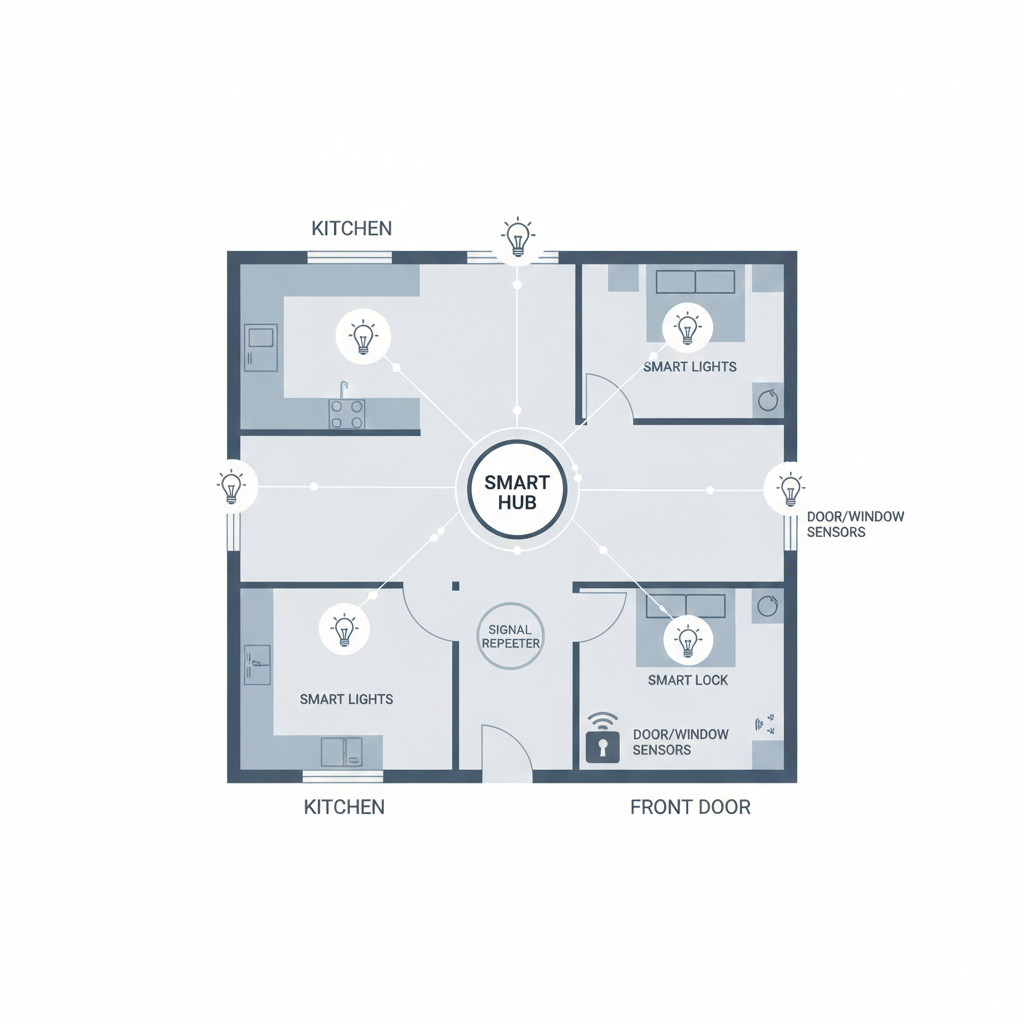
- Central hub placement:
- Goal: Reduce dead spots; avoid metal cabinets and thick stone walls.
- Tip: Two to three mains‑powered Zigbee devices per floor create a healthy mesh.
- Router hygiene:
- Advice: Separate 2.4GHz channel from busy neighbours; assign static IPs to hubs; disable router “smart” features that break multicast.
- Firmware strategy:
- Approach: Update in daylight hours when you’re home; snapshot/backup configs; stagger updates so locks stay online.
- Device onboarding:
- Process: Add powered devices first to form the mesh, then battery sensors; label rooms and names clearly for clean automations.
Security, privacy and multi‑user control
- Local storage preference:
- Why: Keep doorbell clips and camera footage in your home; reduce subscription creep.
- Roles and audits:
- Practice: Give family members appropriate access; log lock/unlock events; alert on unusual patterns.
- Geofencing with care:
- Tip: Use presence plus door sensors for “arrive home” scenes; avoid auto‑unlock without a secondary check.
- Guest mode:
- Use: Temporary codes for locks, restricted scenes for guests or cleaners.
Advanced automations for comfort and safety
- Presence‑based scenes:
- Logic: If last person leaves → arm sensors, turn off non‑essential lights; first person arrives → disarm, hallway lights on.
- Time + ambience lighting:
- Flow: Sunset triggers warm scenes; late night triggers dim amber.
- Contact + climate:
- Rule: If window opens → pause heating; when closed → resume.
- Lock + camera synergies:
- Action: Lock tamper detected → start local recording; notify with image clip.
When to choose a bridge instead of a hub
- Brand‑specific ecosystems:
- Scenario: You love a bulb or blind brand with its own bridge; keep it, then integrate via Matter or your main hub.
- Low complexity, high stability:
- Example: A single‑room lighting setup runs flawlessly on its native bridge; add a hub later only if you need cross‑brand routines.
- Migration path:
- Plan: Use bridges to bring legacy Wi‑Fi devices under one roof; gradually replace with Zigbee/Thread for reliability.
Troubleshooting the top UK pain points
- Sensors missing triggers:
- Fix: Add powered Zigbee repeaters; move hub away from router; re‑pair sensors after you’ve built the mesh.
- Locks dropping offline:
- Fix: Prefer Z‑Wave for locks; ensure strong repeaters; avoid metal door frames blocking signal.
- Scenes feel slow:
- Fix: Convert cloud routines to local; reduce cross‑cloud dependencies; keep rules lean.
- Wi‑Fi congestion:
- Fix: Tune 2.4GHz channels; separate IoT VLAN if possible; disable router features that suppress broadcast packets.
✍️ Author Insight
One thing that genuinely surprised me while setting up a hub at home was how much thick UK walls interfere with wireless signals. I assumed adding more smart bulbs would automatically strengthen the network, but the signal still dropped in the back bedroom. The fix was simple: placing the hub centrally and adding one mains‑powered Zigbee plug halfway along the hall. That small tweak made the whole system more reliable, and it taught me that in UK houses, placement is just as important as the hub you buy.
🔗 More Smart Energy & Device Tips ⚡
If you’re exploring smart hubs to unify lights, locks, and sensors, it’s worth looking at other ways to keep your devices running smoothly. Our guide on Top Smart Power Banks UK (Fast-Charging & Safety Features) highlights portable charging solutions that keep phones and laptops powered wherever you are. And for everyday savings, How to Extend Battery Life on Rechargeable Devices (Practical UK Tips) offers simple habits that help UK households cut costs and reduce waste.
Conclusion and recommended pick
If you want one hub that balances cost, capability, and privacy for a UK home, go with the Tapo H500 Smart IoT Hub. You get local routines, integrated camera support, onboard storage (with simple expansion to a 2.5″ drive), Matter compatibility, and no monthly fees — a rare mix that covers lights, locks, and sensors without locking you into subscriptions. For heavier local‑automation enthusiasts who value maximum speed and privacy, consider Hubitat Elevation; for the widest compatibility and slick mobile apps across mixed brands, Aeotec SmartThings remains a safe, user‑friendly choice.
Brighten your home and lower your bills with the Smart Lighting & Power Saving Tech Hub explore smart bulbs, motion sensors, and rechargeable gadgets that make efficiency easy.

About The Author – Andrew Marshall
Andrew Marshall is a Scottish homeowner and the creator of Save Wise Living. He shares practical ways to reduce energy bills, improve home efficiency, and make everyday household routines cheaper and simpler.