
Last Updated: 31st March 2026
There’s a particular kind of frustration that comes with a hallway light left on all day — you walk past it at noon, nobody’s been near the switch since breakfast, and it’s been burning away quietly adding pennies to the bill for hours. Multiply that across a staircase, a landing, and a back corridor and it stops being a minor irritation and starts being a genuine waste.
Smart motion sensors fix this without any effort after the initial setup. The light comes on when someone walks through, goes off a minute or two later when the space is empty, and the whole thing happens without anyone touching a switch. In a house with kids who reliably leave every light on behind them, the difference is almost immediately noticeable — both on the bill and on the daily frustration of walking around turning things off.
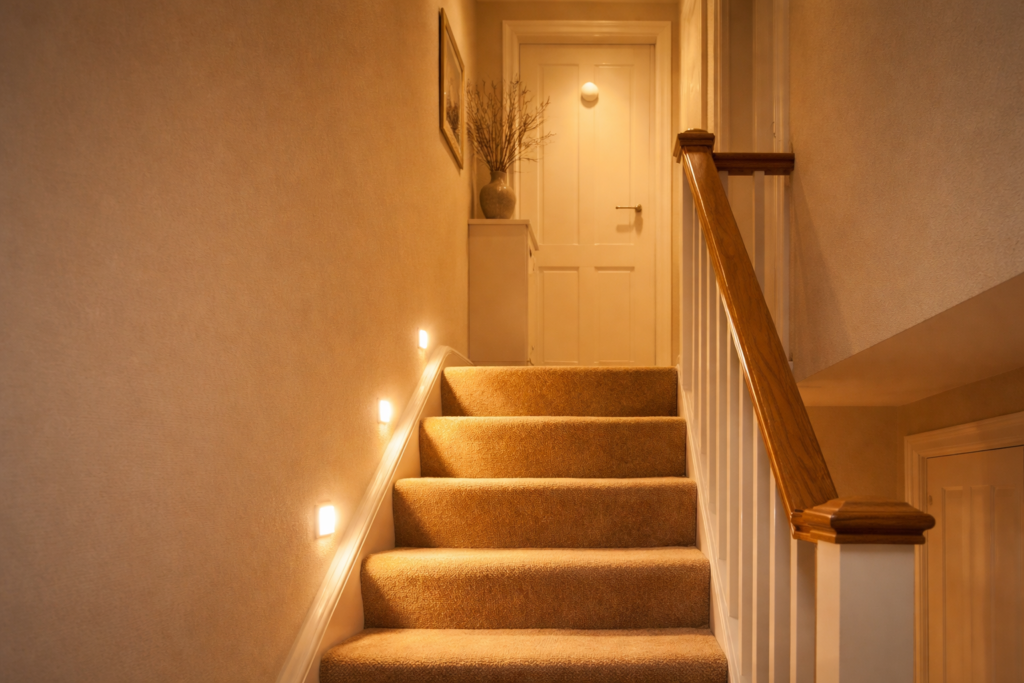
Beyond the energy saving, there’s a safety angle worth mentioning. Hallways and stairs are exactly the places where people trip in the dark — particularly at night when nobody wants to hunt for a switch they can’t see. A sensor that turns on a gentle warm light the moment you step onto the landing removes that problem entirely.
This covers three confirmed UK motion sensors across different budgets and smart home setups — with honest assessments of what each one actually requires to work.
More smart energy saving gadgets for UK homes are covered in our Smart Lighting & Power Saving Tech Hub.
Before You Buy — One Decision That Changes Everything
Before looking at specific products, one question determines everything else: do you already have a smart home hub?
If you have a Tapo hub — the T100 slots straight in. If you have a Hue Bridge — the Philips sensor is the obvious choice. If you’re running Home Assistant or SmartThings on a Zigbee network — the SONOFF is the most flexible and best value option.
If the answer is no hub yet — start with the Tapo. The T100 and Hub H100 together cost around £30, the app is straightforward, and it works reliably without any technical background. The hub also supports up to 64 devices, so adding more sensors to other rooms later costs £12 each rather than requiring another hub.
One other thing worth knowing before buying: the sensor is the trigger, not the controller. It doesn’t directly operate your lights — it sends a signal to your smart bulbs or smart plugs through an automation. If your hallway still uses a standard bulb and a standard switch, you’ll need either a smart bulb or a smart plug in the mix. If you’re not sure which smart bulbs work best for hallways and stairs, energy-saving smart bulbs for UK homes covers the options worth considering at different price points. Worth planning before the delivery arrives.
How Much Can You Actually Save?
The energy saving from motion-activated hallway and stair lighting is real but worth understanding honestly rather than overstating.
A standard 10W LED bulb left on for five hours unnecessarily per day costs approximately £1.80 per month at 24p per kWh — around £21 per bulb annually. Across three or four hallway and landing fixtures in a typical house, the annual saving from eliminating unnecessary usage sits at £60–85, which comfortably covers the cost of a sensor and hub setup within the first year.
The saving is highest in households with children, where lights being left on is a reliable daily occurrence. The hallway light in our house had a habit of staying on from after school until someone noticed it at bedtime — that single change to motion-activated control paid for itself within a few months and removed a daily irritation at the same time.
The Three Sensors Worth Buying
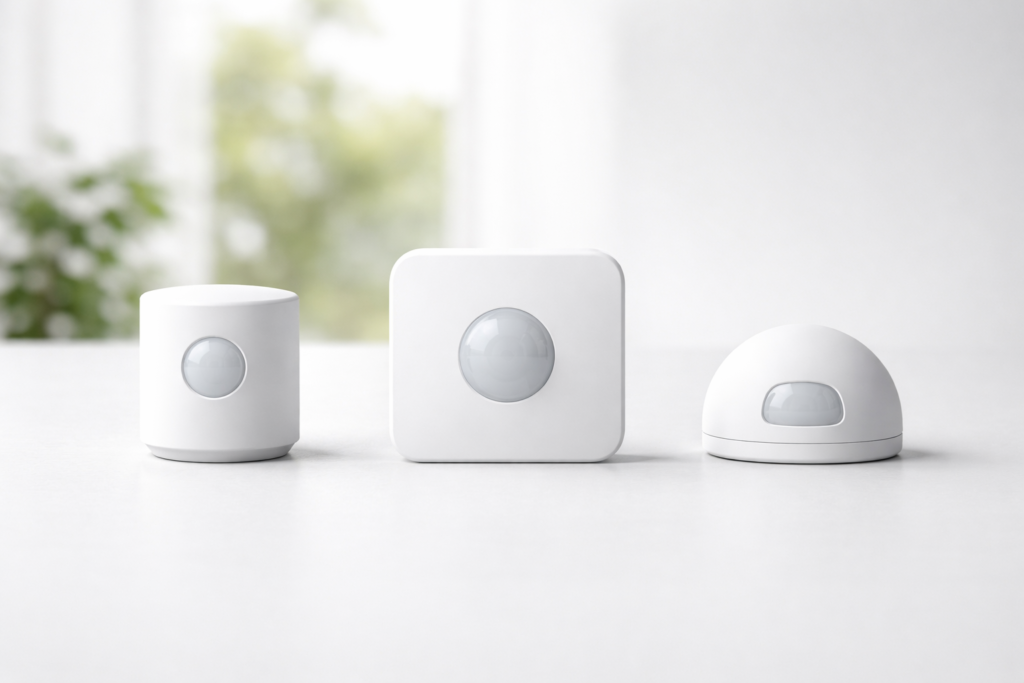
1. TP-Link Tapo T100 Smart Motion Sensor — around £12–15 (Amazon UK)
Best for: households new to smart motion sensors who want a reliable, affordable starting point from a well-supported brand.
The Tapo T100 is the natural entry point for anyone exploring motion-activated lighting for the first time. TP-Link is one of the most recognised networking and smart home brands in the UK — the Tapo ecosystem is actively maintained, the app is well designed, and the support infrastructure behind it is considerably more reliable than the generic brands filling the cheaper end of this category.
The sensor detects motion within a 120° field of view up to 7 metres away — enough to cover a typical UK hallway or stair landing from a single mounting point. Sensitivity is adjustable across three levels, which matters for avoiding false triggers from pets or draughts, and the detection range can be set to 3m, 5m, or 7m depending on the space. Battery life is rated up to two years on a single CR2450 battery, though in a busy hallway firing frequently that figure will be shorter in practice — 12–18 months is more realistic.
Installation uses 3M adhesive or a magnetic base — no drilling required, which makes repositioning straightforward if the initial placement doesn’t give the coverage needed. Setup through the Tapo app takes around five minutes once the hub is connected.
The honest caveat: the Tapo Hub H100 is required and sold separately at around £15–20. Factor this into the total cost if you don’t already own one — though with 64 sensor capacity a single hub covers an entire house. Once you have the hub, the T100 is one of the most cost-effective sensors available from a brand that will still be supporting it in five years.
In our house the hallway light had a habit of staying on from after school until someone noticed it at bedtime. The T100 on the Tapo hub fixed that within a day of setup — and the fact that it hasn’t required any attention since is the real endorsement. For households wanting to go further, automating lighting with motion sensors and smart plugs covers how to build a full room-by-room system once the first sensor is working.
A Tapo smart bulb paired with the T100 and hub creates a complete hands-free hallway lighting system for around £40 total — which pays back within the first year from electricity saving alone.
2. Philips Hue Indoor Motion Sensor — around £39–45 (Amazon UK)
Best for: households already in the Hue ecosystem — or anyone who wants the most polished, feature-rich motion sensor available at this price.
If the Tapo T100 is the practical entry point, the Philips Hue sensor is the premium option — and for households already using Hue bulbs it’s the obvious choice. The integration with the Hue app is seamless, the feature set goes significantly beyond simple on/off triggering, and the reliability over years of daily use is exceptional.
The built-in daylight sensor is the feature that separates it from budget alternatives. The sensor detects ambient light levels and only triggers the automation when the room is actually dark enough to need it — the hallway light won’t come on just because someone walks past on a bright summer afternoon. Setting up time-based rules alongside motion detection takes this further — smart lighting schedules that save energy explains the approach without assuming any technical background.
Time-based lighting is equally well implemented through the Hue app. Set the sensor to trigger a bright cool light during the day and a dim warm glow after 10pm — the kind of gentle stair lighting that guides someone to the bathroom at night without fully waking them up. With children in the house this particular feature becomes something you wonder how you lived without.
The sensor is battery powered and completely wireless, mounting to any surface with an adhesive pad or the included magnetic bracket. Daylight sensitivity and motion timeout are all adjustable through the Hue app with no technical knowledge needed.
The honest caveat: the Hue Bridge is required and costs around £45–55 if you don’t already own one. For households without any existing Hue products this makes the entry cost significantly higher — the SONOFF or Tapo options are more sensible starting points in that scenario. For existing Hue users, this sensor slots straight in and is worth every penny.
3. SONOFF SNZB-03P Zigbee Motion Sensor — around £11–14 (Amazon UK)
Best for: smart home enthusiasts with an existing Zigbee setup — particularly Home Assistant, SmartThings, or Echo Plus users.
The SONOFF SNZB-03P sits at a similar price to the Tapo T100 but serves a different type of buyer. Where the Tapo is designed to work within its own closed ecosystem, the SNZB-03P is built for the broader Zigbee world — compatible with Home Assistant, SmartThings, Aeotec, Homey, Hubitat, Echo Plus, and SONOFF’s own hubs. For households still deciding which hub to build around, smart hubs and bridges for UK homes compares the main options across different ecosystems and budgets.
The 3-year battery life on a single CR2477 battery is the headline specification and a genuine differentiator — replacing a battery every three years rather than every twelve months matters when you have sensors across multiple rooms. Detection triggers within 5 seconds of motion, which is fast enough for hallway and stair use where you want the light on before you’ve walked halfway down the corridor.
The built-in ambient light detection means automations can be conditioned on darkness as well as motion — so the sensor can be set to only trigger at night rather than firing throughout the day. Local Zigbee scenes continue to operate even if your Wi-Fi goes down, a reliability advantage over Wi-Fi dependent sensors that stop working during a router restart.
The honest caveat: this sensor requires a compatible Zigbee hub and is best suited to buyers who already have one. For someone new to smart home tech it adds setup complexity that the Tapo ecosystem avoids. A SONOFF Zigbee bridge is the most affordable entry point if you want to use this sensor without a larger hub setup.
For anyone who’s already gone down the Home Assistant rabbit hole — and plenty of UK homeowners have — the SNZB-03P is the sensor you buy and forget about for three years. It works, it’s fast, and the battery genuinely lasts. At under £14 it’s one of the best value smart home purchases available on Amazon UK.
Where to Place Sensors for Best Coverage
Placement makes the difference between a sensor that works perfectly and one that misses half the movement it should catch.
For hallways the most effective position is at one end of the corridor aimed along the length of the space rather than across it. Most PIR sensors detect movement that crosses their field of view — someone walking towards the sensor from a distance is harder to detect than someone moving across it. Mounting at shoulder height on a side wall aimed diagonally across the hallway often gives better coverage than a ceiling mount aimed straight down.
We had our first sensor mounted on the ceiling aimed straight down the hallway and wondered why it kept missing people walking in from the front door. Moving it to the side wall aimed diagonally across the space fixed it immediately — it’s the kind of thing you learn by doing rather than reading.
For stairs, position the sensor at the top or bottom landing so it catches movement in both directions. A sensor on the stair wall midway up will often miss someone coming from the floor below until they’re already past it.
Avoid placing sensors near radiators, convector heaters, or in direct sunlight. PIR sensors detect heat movement — a radiator cycling on nearby causes false triggers that make the lighting behave erratically and waste the energy saving you installed it to achieve.
If you’re getting false triggers from pets, reduce the sensitivity setting in the app before repositioning — repositioning is always a last resort once everything is already mounted.
Frequently Asked Questions
Do these sensors work without a smartphone? Once set up, the automation runs through the hub without needing a phone present. You only need the app during initial setup or to change the settings later.
Can I use these sensors with any smart bulb? The Tapo T100 works most naturally with Tapo smart bulbs through the Tapo app. The Hue sensor works exclusively with Hue bulbs through the Hue Bridge. The SONOFF through Home Assistant or SmartThings can trigger any compatible smart device. If you want maximum flexibility to trigger non-brand bulbs or smart plugs, the SONOFF with Home Assistant gives the most options — though it requires the most technical setup to get there.
Will the sensor turn lights on during the day? It depends on how you configure the automation. By default most sensors trigger regardless of ambient light. The Hue sensor has a built-in daylight detector that prevents unnecessary daytime triggering automatically. The SONOFF SNZB-03P also includes ambient light detection for conditional automations. If daytime triggering is a concern, either of these two is the better choice over the Tapo for this specific use case.
How long do the batteries last in practice? The Tapo T100 is rated up to 2 years but in a busy hallway expect 12–18 months realistically. The Hue sensor typically lasts 1–2 years. The SONOFF’s 3-year rating assumes around 50 triggers daily — in a busy household allow 2 years comfortably. A CR2477 battery for the SONOFF and a CR2450 battery for the Tapo are worth keeping as spares rather than waiting until they run out mid-automation.
Can I set the light to turn off automatically after a set time? Yes — all three sensors allow you to configure how long the light stays on after motion stops. Typical settings range from 30 seconds to 10 minutes. For a hallway 1–2 minutes is usually enough. For a staircase where someone might move slowly or carry things, 3 minutes gives a comfortable buffer.
What if the sensor keeps triggering when nobody is there? Reduce the sensitivity setting first — most false triggers in hallways come from sensitivity being set too high near heat sources or draughty areas. If reducing sensitivity doesn’t fix it, check whether the sensor is positioned near a radiator, boiler cupboard, or window that gets direct afternoon sun. Repositioning away from heat sources resolves false triggering in the vast majority of cases.
Which Sensor Should You Buy?
For most UK households trying motion-activated lighting for the first time — Tapo T100. The brand is reliable, the ecosystem is well supported, the app is easy, and the total cost including hub is around £30. It works exactly as advertised and the setup process is genuinely simple.
For existing Hue users or anyone who wants the most polished smart lighting experience available — Philips Hue Indoor Motion Sensor. The daylight detection and time-based dimming are features that make daily life meaningfully better and the Hue ecosystem’s long-term reliability is well established.
For anyone already running Zigbee with Home Assistant, SmartThings, or Echo Plus — SONOFF SNZB-03P. The 3-year battery life, 5-second detection, and open Zigbee 3.0 compatibility make it the best value Zigbee sensor on Amazon UK at this price.
Whichever sensor you choose, a smart LED bulb for hallways is worth pairing with it from day one — the combination of motion trigger and dimmable warm light is what makes the whole setup feel like a genuine upgrade rather than just a gadget you’ve added to the house.
Related Guides

About The Author – Andrew Marshall
Andrew Marshall is a Scottish homeowner and the creator of Save Wise Living. He shares practical ways to reduce energy bills, improve home efficiency, and make everyday household routines cheaper and simpler.