
Last Updated: 22nd March 2026
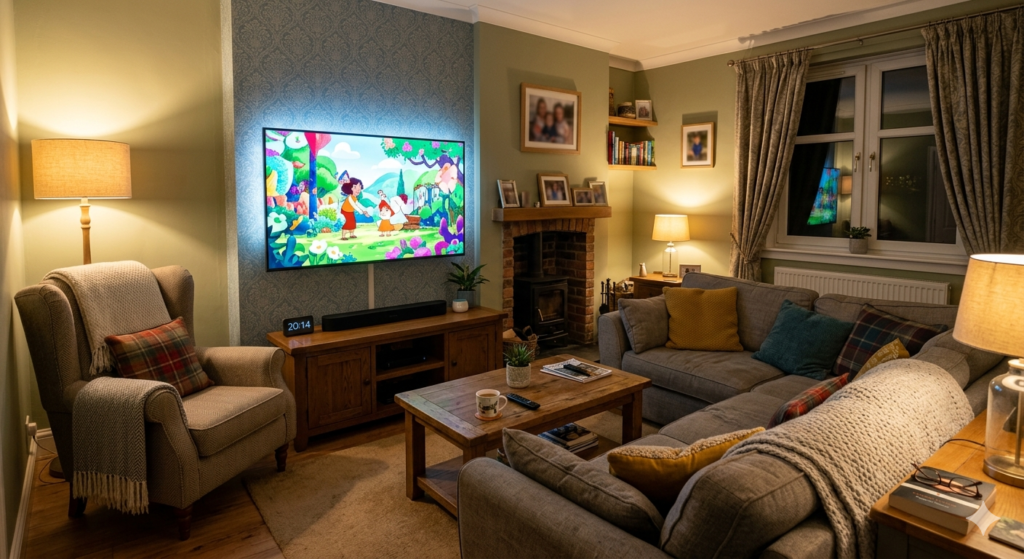
It’s Saturday evening. The kids have finally agreed on a film. You press play and the picture on the old TV looks exactly like what it is — a decade-old panel that made sense when it was bought but now makes everything look slightly washed out and smaller than it should. Someone mentions upgrading. An hour later you’re deep in a rabbit hole of specs, panel types, and refresh rates wondering why buying a television has become this complicated.
It hasn’t, really. At 50 inches and under £400, the UK market is genuinely impressive right now — and once you understand what three or four things actually matter, the decision becomes straightforward. We’ve been through enough TV purchases in this house to know that the spec sheet rarely tells the whole story. What matters is how the picture looks on an ordinary Tuesday evening, how quickly the interface responds when everyone wants to watch something different, and whether it’s still performing well three years from now.
That’s what this covers. Four confirmed models, honest assessments, and a clear answer on which one suits your household.
More budget-friendly tech picks for UK households are in our Everyday Tech Savings Hub.
What Actually Matters Before You Buy
Most TV buying guides walk through seven or eight technical criteria in sequence. The honest truth is that for a family TV under £400, three things matter most — and everything else is secondary.
Picture quality comes from the panel, not just the resolution
Every TV on this list is 4K. At 50 inches from a normal UK sofa distance, 4K makes a visible difference — particularly when streaming from Netflix, Disney+, or Prime Video which all deliver native 4K. But resolution is only part of the picture story.
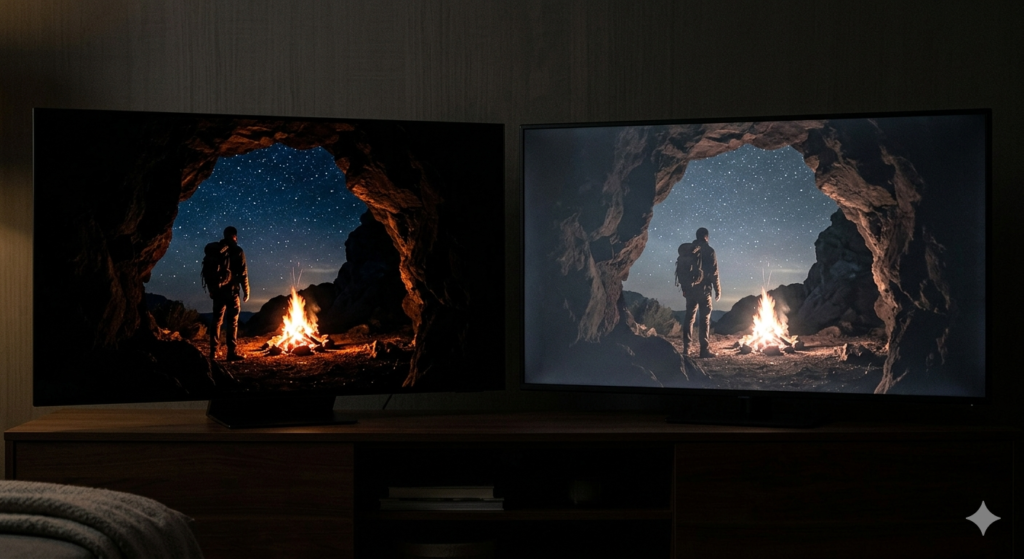
What separates a genuinely impressive TV from an adequate one at this price is the panel technology behind it. Standard LED is the baseline — good for everyday streaming in a well-lit room. Mini-LED uses thousands of smaller LEDs across precise dimming zones for significantly deeper blacks and brighter highlights. The difference is most obvious during darker scenes and HDR content. One model on this list uses Mini-LED and once you’ve seen it next to a standard LED panel in the same room, it’s difficult to go back.
Dolby Vision is the HDR format worth looking for — it optimises brightness and contrast dynamically, scene by scene, rather than applying a fixed setting across the whole film. Every model here supports it.
The smart OS determines how much you’ll enjoy using it daily
Picture quality gets people through the door. The smart operating system determines whether they stay happy with the TV for the next five years.
A slow, cluttered interface — which some budget TV brands still ship — means waiting for apps to load, losing the remote navigation, and spending ten minutes finding BBC iPlayer when everyone just wants to watch something. Samsung’s Tizen OS is consistently the fastest and most intuitive interface in this price range. Hisense’s VIDAA is clean and well supported. Both are meaningfully better than the interfaces found on cheaper brands. In practice this means the difference between a TV the whole family navigates without asking for help and one where finding a streaming app involves three menus and a password.
If you’re building a wider smart home setup around the TV, smart home upgrades that work straight out of the box are worth looking at alongside any new screen purchase.
Freely is more useful than most buyers realise
Freely delivers live BBC, ITV, Channel 4, and Channel 5 over your internet connection — no aerial, no satellite dish, no rooftop installation. For households without a reliable aerial signal, or anyone who wants a simpler setup, it makes a standard aerial genuinely optional.
We stopped using our aerial two years ago and haven’t missed it once. Everything comes through the internet connection now and the picture quality is identical to what the aerial delivered. Three of the four models here include Freely — it’s worth checking before buying anything that doesn’t.
Energy running costs — the detail most buyers skip
A 50-inch TV running four hours daily costs approximately £28–42 per year at current UK rates of 24p per kWh depending on the panel’s power draw. Over five years that’s £140–210 in electricity. An efficiently rated model over a poorly rated equivalent at this screen size saves £30–50 across its lifetime. Worth five seconds checking the energy label — all four models here are reasonably efficient for their size. Enabling the eco or energy saving mode during initial setup costs nothing and reduces the annual figure further.
The Four Models Worth Buying
Rather than ranking these one to four, here’s how they actually split by what your household needs most:
Best Picture Quality: Hisense 50U6NQTUK 50″ Mini-LED 4K — around £349–399
If picture quality is the priority and budget stretches toward the top of this range, nothing else under £400 at this screen size touches it.
Mini-LED is one of those features that sounds like marketing until you see it next to a standard LED panel in the same room. The 50U6NQTUK uses 128 local dimming zones — which means the screen controls brightness across 128 separate areas simultaneously rather than the whole panel at once. Dark scenes have genuine depth. Bright highlights don’t bloom into surrounding areas. Nature documentaries and sport look noticeably more impressive than on any standard LED alternative at this price.
The Hi-View Engine processor analyses and optimises every frame in real time — older content and catch-up TV is upscaled to near-4K quality automatically, which matters in a household where not everything you watch arrives in native 4K. Quantum Dot colour processing delivers over a billion shades, which sounds like marketing until you watch something colour-rich and notice that skin tones and landscapes look natural rather than processed.
VIDAA OS is clean and responsive with Netflix, Disney+, Prime Video, Apple TV, BBC iPlayer, and Freely all built in. Three HDMI 2.1 ports handle a set-top box, games console, and streaming stick simultaneously. Dolby Vision, HDR10+ Adaptive, and Dolby Atmos audio are all present.
A 4K HDMI cable is worth having ready for day one — the cables included with most TVs at this price are basic and won’t deliver full 4K HDR performance from a games console or streaming device.
The 20W built-in speakers are adequate for everyday viewing but this is the model most likely to benefit from a soundbar addition — the picture quality is premium enough that the audio starts to feel like the limiting factor fairly quickly. There are soundbars under £100 that make a significant difference without adding much to the total spend — and pairing one with this screen makes for a genuinely impressive living room setup at well under £500 combined.
Best for Families With Gaming Kids and Smart Home: Samsung UE50CU7100 50″ 4K — around £299–349
Samsung is the most recognisable TV brand in UK living rooms and the CU7100 demonstrates why that reputation holds at this price. But it’s not just brand familiarity — there are specific features here that make the Samsung the most practical family TV on this list for households where the TV does more than just streaming.
Tizen OS is the fastest, most intuitive smart interface available under £400. It’s logically structured, apps load quickly, and Samsung TV Plus adds thousands of free channels and shows without any subscription — useful on the days when nobody can agree on what to pay to watch. The interface hasn’t slowed down meaningfully on older Samsung TVs in this house over time, which is more than can be said for some alternatives.
The Gaming Hub is the standout feature for families with children — it enables cloud-based gaming from Xbox Cloud Gaming without needing a console physically connected. Auto Game Mode activates automatically when a console is detected, switching the TV into low-latency mode without any manual input required. For Saturday afternoon gaming sessions that transition into Saturday evening streaming without anyone touching the settings, the Samsung handles it seamlessly. For households who want to stream without a full console setup, budget streaming sticks are worth pairing with any TV on this list for the most flexible setup.
Object Tracking Sound Lite adjusts audio dynamically to match what’s happening on screen — sound follows the action rather than coming from a fixed point on the panel. It’s subtle but noticeable quickly during action films and sport.
4K Crystal Processor handles upscaling and picture processing reliably — the Samsung’s picture is very good but the Hisense U6NQTUK’s Mini-LED is visibly superior in direct comparison. Where the Samsung wins is in the overall daily experience. For a household where the TV is on for several hours every day across different family members with different needs, Tizen OS makes that daily experience consistently better.
A universal TV remote is worth considering for households where multiple family members use the TV — Samsung’s included remote is excellent but a spare makes life easier when the original goes missing between sofa cushions.
Best Built-In Sound Without a Soundbar: Toshiba 50UV2F53DBU 50″ 4K VIDAA — around £289–319
The Toshiba earns its place on this list for one reason that isn’t obvious from the spec sheet — the Onkyo speaker partnership.
Most TVs at this price make you feel the absence of a soundbar immediately. Dialogue gets lost at lower volumes, action sequences feel thin, and music sounds flat. The Toshiba 50UV2F53DBU is the exception. The Onkyo speaker system delivers noticeably better built-in sound than anything else on this list — dialogue is clear even at lower volumes, which matters more than most buyers realise until they’re watching something late at night with the rest of the house asleep. Music has genuine depth and action sequences have presence without distortion.
This is the TV we’d suggest for households where buying a soundbar separately isn’t in the budget — the Onkyo partnership reduces that urgency significantly compared to the Hisense models.
TRU picture technology handles 4K processing and upscaling competently. TRU Flow’s frame interpolation reduces judder during sport and action. Dolby Vision and HDR10 cover the major HDR formats. VIDAA OS provides the full streaming lineup — Netflix, Prime Video, Disney+, Apple TV, BBC iPlayer, and Freely are all present.
Three HDMI ports, Alexa compatibility, Google Assistant, and VIDAA Voice are all included. For households already using Alexa smart speakers in the living room, the voice integration works well for controlling playback and switching inputs without reaching for the remote. A smart plug with energy monitoring on the TV socket lets you track exactly how much the TV costs to run daily — useful for households keeping an eye on energy use.
The design is slim and neutral — not as premium-looking as the Samsung or Hisense U6N but perfectly presentable in a family living room. Build quality is solid and Toshiba’s reliability track record in the UK market is strong. For families who want a recognisable brand with genuinely impressive built-in audio, the Toshiba is the natural pick — and consistently available below £300 with a little patience.
Best for the Tightest Budget: Hisense 50E6NTUK 50″ 4K VIDAA — around £249–279
The Hisense 50E6NTUK is the entry point on this list and it delivers considerably more than its price suggests — which has become increasingly true of Hisense’s budget range over the last two years.
Dolby Vision HDR, Game Mode Plus with 60Hz VRR for gaming, AI Sports Mode that optimises picture automatically during live sport, and Freely for aerial-free live TV. These are features that cost significantly more to find two years ago and are now standard on a TV under £280. The VIDAA OS is identical to the more expensive U6NQTUK above — same app ecosystem, same streaming lineup, same Freely support, same clean interface.
Smooth Motion technology reduces blur during fast-moving content — noticeable during sport and action in a way that cheaper TVs at this size don’t match. Setup is simple: a QR code process that most households complete in under 15 minutes with no technical knowledge required.
The honest caveat: the E6NTUK uses a standard LED panel rather than Mini-LED. Contrast and black levels don’t match the U6N. In a well-lit living room during daytime viewing this is rarely noticeable. In a darker room watching films in the evening the U6N’s advantage becomes more visible. For the price difference between the two models — typically £80–120 — whether that matters depends entirely on how and where your family watches most.
For a spare bedroom, a kids’ room, or a household that needs a 50-inch 4K smart TV and has around £250–280 to spend, this is the model to buy. Not a compromise — a genuinely solid TV at an honest price. A TV wall bracket for 50-inch screens at £15–30 transforms how it looks in a room and is worth adding to the order. A screen cleaning kit is also worth picking up — fingerprints on a 50-inch panel are considerably more visible than on smaller screens and most manufacturers recommend screen-safe cleaners rather than household products.
What We’d Actually Buy
This is the question most buying guides avoid answering directly. Here’s the honest version.
For our living room — the main family TV, used daily for streaming, occasional gaming, and films after the kids are in bed — it would be the Hisense 50U6NQTUK. The Mini-LED picture quality at this price is genuinely impressive and once you’ve watched something on it, a standard LED panel feels like a step backwards. The soundbar question is real — we’d budget for one — but the picture alone justifies the spend. For anyone who wants an even larger picture without the TV price tag, a budget projector delivers a 100-inch image for considerably less — worth knowing before committing to a screen purchase.
If the budget was firm at £300 or under, it would be the Samsung CU7100. The Tizen OS makes daily family life with a smart TV consistently easier than the alternatives, the Gaming Hub is genuinely useful, and the brand’s long-term update support is better than most.
For a kids’ bedroom or secondary TV anywhere in the house, the Hisense E6NTUK at under £280 is an extraordinary amount of TV for the money.
The Toshiba is the pick if audio matters and a soundbar isn’t happening — the Onkyo speakers are the best built-in audio on this list and that’s a genuine differentiator worth choosing around.
Frequently Asked Questions
Do I need an aerial with these TVs? Three of the four models — both Hisense and the Toshiba — include Freely which delivers live BBC, ITV, Channel 4, and Channel 5 over your internet connection without an aerial. If your broadband is reliable, an aerial is genuinely optional. The Samsung uses Freeview Play which works better with an aerial for live TV, though all streaming catch-up apps are available without one. We haven’t used our aerial in two years and genuinely don’t miss it.
Are these TVs good for gaming? The Samsung CU7100 and Hisense E6NTUK both have Auto Low Latency Mode — suitable for family gaming on PS5 or Xbox. The Hisense U6NQTUK has ALLM and VRR through its HDMI 2.1 ports, making it the strongest gaming option here. None support 4K at 120Hz which limits them for competitive gaming, but for family gaming they’re all perfectly functional. The Samsung’s Gaming Hub adds cloud gaming without a console which is a useful bonus for households still deciding on a console purchase. A games console charging station keeps controllers ready without cables trailing across the living room floor.
What’s the real difference between the two Hisense models? About £80–120 and a panel technology that’s immediately visible in darker scenes. The U6NQTUK’s Mini-LED delivers deeper blacks and brighter highlights through 128 local dimming zones. The E6NTUK uses standard LED which is perfectly good for everyday viewing in a well-lit room. If most of your watching happens in daylight or a bright room, the E6NTUK’s saving is real. If films in a darker room are a regular part of your evenings, the U6NQTUK’s picture quality is worth every penny of the difference.
Do I need a soundbar? The Toshiba’s Onkyo speakers reduce the urgency significantly — it’s the only model here where adding a soundbar feels optional rather than recommended. For the Hisense and Samsung models, a budget soundbar under £80 makes a meaningful improvement particularly for films. We added one to our living room TV about six months after buying it and immediately wished we’d done it from day one — the difference in dialogue clarity alone makes it worth the spend.
How much does a 50-inch TV cost to run per year? A typical 50-inch 4K TV draws around 80–120 watts during use. At 24p per kWh and four hours of daily viewing, that’s approximately £28–42 per year. Enabling the eco or energy saving mode — all four models include this — reduces that further. Not life-changing in isolation but worth switching on during setup and leaving there.
Can I wall-mount these TVs? Yes — all four support standard VESA wall mounts. At 50 inches a TV on a stand in a standard British living room often ends up at the wrong height for comfortable viewing. Wall-mounting puts the screen at eye level, frees up furniture space, and makes the whole setup look considerably more intentional. A full motion TV wall bracket at £20–40 allows tilting and swivelling for rooms where the sofa isn’t directly facing the wall — the first thing we do with every new screen in the house.
Related Guides

About The Author – Andrew Marshall
Andrew Marshall is a Scottish homeowner and the creator of Save Wise Living. He shares practical ways to reduce energy bills, improve home efficiency, and make everyday household routines cheaper and simpler.