
Last Updated: 14th March 2026
Most households are paying for electricity they’re not using. Your television, games console, microwave, and desktop computer all draw power in standby — not much individually, but across every device in the house, running every hour of every day, it accumulates into a bill cost that’s easy to overlook because it never announces itself.
A smart plug is one of the simplest ways to stop it. No installation, no electrician, no changes to your home. You plug it into the wall, plug your appliance into it, and from that point you control it remotely, set it to a schedule, and on the better models see exactly how much electricity it’s drawing in real time.
I fitted my first smart plug to my old television after noticing it was running warm even when switched off at the remote. The energy monitoring showed it was drawing around 15–20 watts in standby — at roughly 24p per kWh, that was adding up to over £30 a year from one device sitting idle. Setting it to cut power at midnight and restore it each morning cost nothing to set up and required no ongoing effort. It just runs. That’s the appeal of smart plugs done properly — the saving happens automatically, every day, without you thinking about it. Everything else for reducing home energy costs is in our [Smart Energy Monitors & Plugs Hub].
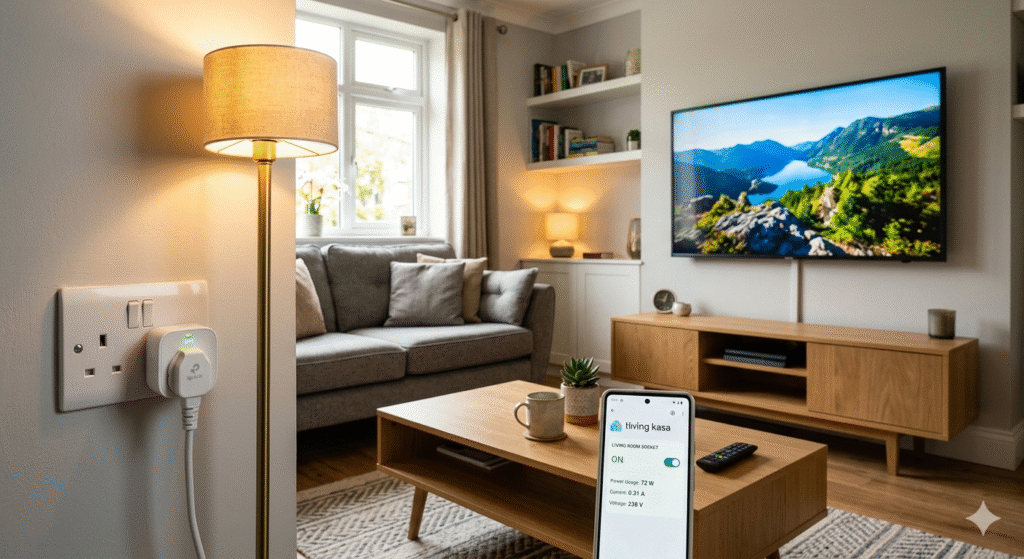
Do Smart Plugs Actually Save Money or Is It Marketing?
This is the question worth answering directly before anything else, because plenty of energy-saving products are marketed heavily and deliver little.
The honest answer is: it depends entirely on what you plug into them and whether you actually use the scheduling features.
A smart plug on a phone charger with nothing attached saves almost nothing — the draw is negligible. A smart plug on a games console that gets left in rest mode overnight, or an older television with high standby consumption, or a desktop computer that never fully powers down — these are the devices where the savings are real and meaningful.
The rough maths at current UK electricity rates (approximately 24p per kWh): a device drawing 20 watts in standby for 8 hours overnight costs about 3.8p per night, or roughly £14 a year. A device drawing 50 watts costs closer to £35 a year in standby alone. Multiply that across three or four devices in a typical household and the numbers become worth addressing.
The key is targeting the right appliances. An energy monitoring smart plug helps you identify them. A basic on/off plug requires you to already know which devices are the problem. Our Standby Power Is Draining Your Wallet guide breaks down exactly which devices cost the most and how to find yours.
What to Look for Before You Buy
Energy monitoring vs basic on/off
This is the most important decision. A basic smart plug switches things on and off remotely and runs schedules. An energy monitoring plug does all of that and shows live kilowatt-hour consumption per device — which means you can see what each appliance actually costs and decide which ones are worth targeting.
For anyone whose primary goal is reducing bills rather than just convenience, energy monitoring is worth the small additional cost. You cannot reduce what you cannot measure.
Wi-Fi direct vs hub-required
Most current UK smart plugs connect directly to your home Wi-Fi without a separate hub. This is the simplest setup — download the app, connect the plug, done. Avoid hub-required systems unless you’re already invested in a specific smart home ecosystem.
Voice assistant compatibility
Most UK smart plugs support Alexa and Google Home. Apple HomeKit support is less common — if you’re in an Apple household using the Home app, check compatibility specifically before buying.
Maximum wattage rating
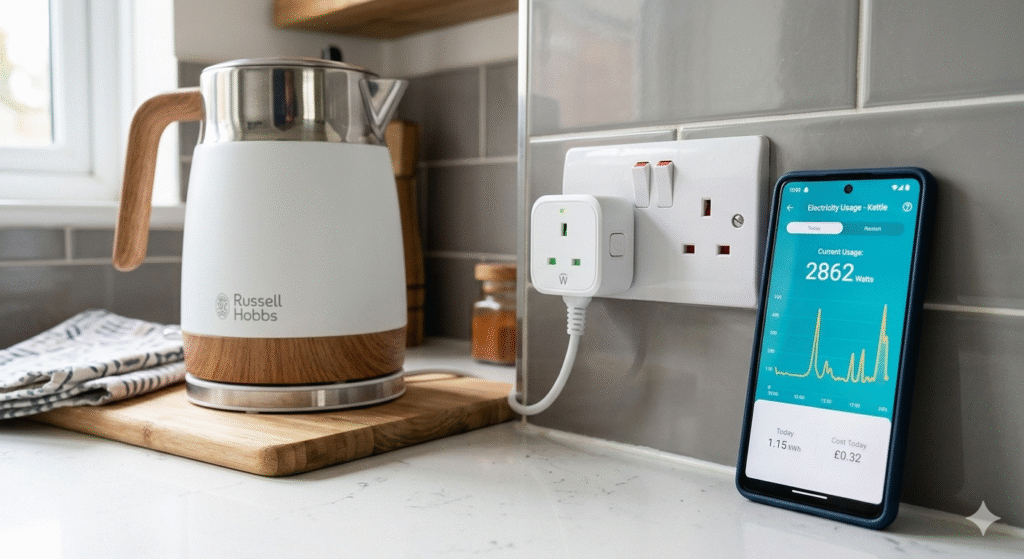
Every smart plug has a maximum wattage it can safely handle. For standard appliances — TVs, lamps, chargers, games consoles, desktop computers — this isn’t an issue. For anything high-draw like a kettle or space heater, check the plug’s wattage rating first. Most UK smart plugs are rated to 2300–2500 watts, which covers most household appliances.
Compact design
Some smart plugs are bulky enough to block the adjacent socket in a double outlet. If socket space is tight, check dimensions before ordering. Several models are specifically designed to minimise this.
Best Smart Plugs Available in the UK
TP-Link Tapo P110 — Energy Monitoring Smart Plug
Best for: anyone who wants to see exactly what their appliances cost to run — the most useful model on this list for genuine bill reduction.
The Tapo P110 is the smart plug worth recommending to most UK households as a starting point, and it’s the one I use on the highest-draw devices in our house. The energy monitoring is the feature that separates it from basic models — it tracks live consumption and logs daily, weekly, and monthly costs per device in the Tapo app.
The practical impact of having that data is greater than it sounds. Once you can see a specific appliance costing more than you expected, you change how you use it. The data changes behaviour in a way that a basic on/off plug simply doesn’t. I moved our old games console to a schedule based on what the monitoring showed and the change in its monthly consumption was immediately visible.
Setup takes around five minutes from box to working — the Tapo app is clear and well-designed, and the plug connects to standard 2.4GHz Wi-Fi without needing a hub. Compatible with both Alexa and Google Home for voice control. The compact design fits double sockets without blocking the adjacent outlet, which matters more in practice than it sounds.
Scheduling is where the long-term savings compound. Set it to cut power to entertainment systems at midnight, align it with off-peak tariff hours if you’re on Economy 7, or use it to automate any device you habitually forget to switch off. Over a year, that automation runs quietly in the background and the saving accumulates without any ongoing effort.
At the current price point, this is one of the most cost-effective energy-saving purchases available for a UK household. The monitoring alone tends to justify the cost within the first month by identifying at least one device drawing more than expected.
Amazon Smart Plug
Best for: Alexa households who want zero-friction setup with no separate app and no learning curve.
If you already use Alexa and want the simplest possible smart plug experience, Amazon’s own plug is the right choice. Setup takes about sixty seconds — Alexa finds the plug automatically and adds it to your devices. There’s no separate app, no additional account, nothing to learn beyond what you already know from using Alexa.
What it doesn’t offer is energy monitoring. This is a reliable, well-made on/off plug with scheduling and voice control, and it does those things consistently well. For households who want to automate switching off lamps, chargers, and small appliances on a schedule, it delivers exactly that at a competitive price.
It suits households who are new to smart plugs and want to try the concept without committing to a more featured model, or anyone who has already identified their problem devices through other means and just needs a reliable automation tool. For households where the Alexa ecosystem is already central to how the home runs, integrating this plug into existing routines is immediate.
For bill-reduction as the primary goal though, the absence of energy monitoring means you’re automating blind. The Tapo P110 remains the better choice if you want to see the actual numbers.
Meross Wi-Fi Smart Plug Mini
Best for: Apple HomeKit households, or anyone who needs the most compact design available for tight socket situations.
The Meross Mini earns its place on this list for two specific reasons. First, it’s one of the relatively few UK smart plugs with native Apple HomeKit support — alongside Alexa and Google Assistant. For iPhone households using the Apple Home app, this is a meaningful advantage that most competitors don’t offer. Second, the compact design is genuinely smaller than most alternatives, which matters when a double socket or extension lead has limited space.
It includes real-time power monitoring and usage logs through the Meross app, which has a strong track record for reliability across a large volume of UK reviews. Scheduling works as expected and the hardware is consistently well-reviewed for build quality at this price point.
One thing worth knowing: the HomeKit setup and the Meross app operate independently. Both work, but you’re effectively managing two systems if you use both platforms — worth being aware of before setup rather than during it.
For households outside the Apple ecosystem, the Tapo P110 offers a more integrated experience at a similar price. The Meross is the right choice specifically when HomeKit compatibility or compact size is the priority.
Standby Costs: Which Appliances Are Worth Targeting?
Not all standby draws are equal, and targeting the right devices makes the difference between meaningful savings and marginal ones.
At approximately 24p per kWh — the current UK unit rate — here are rough annual standby costs for common household appliances:
Older CRT or plasma television — can draw 10–30 watts in standby. At 20 watts for 16 hours daily: approximately £28 per year.
Games console (older generation) — rest mode on older consoles can draw 70–150 watts. At 100 watts for 8 hours overnight: approximately £70 per year from one device.
Desktop computer left in sleep mode — typically 5–20 watts. At 10 watts for 12 hours: approximately £10–11 per year.
Microwave — the clock display typically draws 2–5 watts continuously. Small individually, but it runs 24 hours a day, 365 days a year.
Sky or cable box — older set-top boxes can draw 10–20 watts even when not in use, and many update overnight meaning they can’t simply be switched off. Worth checking your specific model.
The pattern is consistent: older appliances draw more in standby than newer energy-efficient models, and entertainment and gaming equipment tends to be the highest-value target for smart plug scheduling.
An energy monitoring plug used on each device in turn gives you actual figures for your specific appliances rather than estimates, which is significantly more useful for prioritising where to focus.
Setting Up Schedules That Actually Save Money
The setup takes minutes. The scheduling is where smart plugs earn their keep over the following months and years.
Overnight cutoff — setting entertainment systems, gaming consoles, and office equipment to lose power between midnight and 7am removes standby draw during the hours when no one is using them. This single schedule, running automatically every night, makes a consistent difference without any ongoing effort. I set this up on our television and console setup and the weekly consumption figures in the Tapo app dropped visibly within the first week.
Off-peak tariff alignment — if you’re on Economy 7 or another time-of-use tariff, smart plugs make it straightforward to shift appliance use to cheaper overnight hours. Set your washing machine or dishwasher to start during off-peak hours via a smart plug rather than relying on the appliance’s own timer, which many older UK machines don’t have. Our Smart Plug Scheduling Secrets guide covers the peak vs off-peak battle in detail and which appliances benefit most.
Away mode — most smart plug apps allow routines that cut power when your phone leaves the home network. Useful for anything you habitually leave on when leaving the house.
Staggered startup — if you’re managing several smart plugs, setting them to restore power at staggered times rather than simultaneously prevents a brief spike in draw when everything comes back on at once.
Smart Plugs and Renters
Worth addressing directly because it’s a common assumption: smart plugs require no installation, no modifications, and no landlord permission. They’re entirely plug-and-play — you plug them in, use them, and remove them when you leave, leaving no trace. If you’re renting and have been assuming smart home technology requires changes to the property, smart plugs are the exception. They work in any UK three-pin socket regardless of the building’s age or wiring.
Frequently Asked Questions
Do smart plugs work with older appliances? Yes. Smart plugs work with any appliance that uses a standard UK three-pin plug — the age of the appliance is irrelevant. In fact, older appliances tend to have higher standby consumption than newer energy-efficient models, which makes them the better candidates for smart plug scheduling. An older television or games console is likely to show more meaningful savings than a recently purchased energy-rated appliance.
Do smart plugs use electricity themselves? Yes, a small amount — typically 1–2 watts when active. This is negligible compared to the standby draw of most appliances they control, and an energy monitoring plug will show you its own consumption as confirmation.
Can I use smart plugs on extension leads? Yes. A smart plug on the extension lead itself lets you control multiple devices from a single schedule, which is practical for entertainment systems with several components. Check the combined wattage of everything connected doesn’t exceed the plug’s rated maximum.
Will smart plugs work if Wi-Fi goes down? Scheduled routines stored on the plug itself continue to run. Remote app control requires an internet connection. Most plugs default to their last known state if Wi-Fi drops.
Are smart plugs worth it if I already have a smart meter? Yes — a smart meter shows whole-home consumption and daily totals but doesn’t identify which specific appliance is the cause. An energy monitoring smart plug gives you device-level detail. The two complement each other rather than one replacing the other. Understanding tracking device-by-device energy use is the foundation for knowing where smart plugs will have the most impact.
Can smart plugs be used with kettles or toasters? Check the wattage rating of the specific plug before connecting high-draw appliances. Kettles typically draw 2000–3000 watts — most smart plugs are rated to handle this, but confirm before use. That said, kettle and toaster standby draws are negligible because they’re either fully on or fully off — they’re not the appliances smart plugs save money on.
Which Smart Plug Should You Buy?
For most UK households, the TP-Link Tapo P110 is the right starting point. The energy monitoring puts it meaningfully ahead of basic on/off plugs for anyone whose actual goal is reducing bills — you can see what’s happening rather than hoping it’s working. Start with one on your highest-draw standby device, check the monitoring figures over a week, and the payback case becomes obvious.
If you’re already in the Alexa ecosystem and want zero setup friction, the Amazon Smart Plug is the simpler choice and does the job reliably. If you need Apple HomeKit support or the most compact design for a tight socket situation, the Meross Mini fills that gap specifically.
A practical approach for most households: one Tapo P110 on the device you suspect is the biggest standby culprit, one Amazon plug on something you just want to automate simply. Between them they cover both monitoring and convenience without overspending.
The upfront cost of any of these pays back quickly when placed on the right appliances with sensible schedules. The Tapo P110 in particular tends to recover its purchase price within a couple of months when used on devices with meaningful standby draw — and then continues saving money indefinitely.
3 Related Guides at the Bottom

About The Author – Andrew Marshall
Andrew Marshall is a Scottish homeowner and the creator of Save Wise Living. He shares practical ways to reduce energy bills, improve home efficiency, and make everyday household routines cheaper and simpler.
Pingback: Smart Motion Sensors for Hallways UK | Best Picks 2025
Pingback: Best Smart Energy Monitors for UK Homes 2025 | Save Money
Pingback: Smart Energy Monitors & Plugs Hub UK 2025
Pingback: Best Power Usage Meters for Tracking Electricity UK 2025 | Save Wise Living
Pingback: Are Smart Plugs Safe to Leave On 24/7? (UK Electrical Rules Explained) - savewiseliving.com