
Why Unify Your Smart Home?
Controlling devices from one app cuts the clutter, speeds up routines, and makes family use simpler. When lights, locks, sensors, and cameras live under a single roof, you get consistent scenes, fewer sign‑ins, and automations that work together. Many UK households start with brand apps (bulbs, plugs, doorbells) and then consolidate into a core platform like Amazon Alexa, Google Home, Apple Home, SmartThings, Home Assistant, or a Matter‑ready hub. Centralising is the step that turns “lots of gadgets” into a responsive system. A growing UK smart‑home market makes this worthwhile, with millions of homes expected to adopt connected tech in the next few years.
Choose your “one app”: ecosystem quick picks
- Amazon Alexa:
- Best for: Voice control, wide device support, simple routines.
- Strengths: Easy onboarding, strong cloud integrations, good for mixed brands.
- Consider: Most automations are cloud‑based; pair with local hubs for speed.
- Google Home:
- Best for: Clean app, reliable casting and assistant features.
- Strengths: Matter/Thread direction of travel, multi‑brand support, simple automations.
- Consider: Advanced logic is limited; good starter option.
- Apple Home (HomeKit):
- Best for: Privacy, local control with Home Hub (Apple TV/HomePod), tight iOS integration.
- Strengths: Fast local automations, presence via iPhones, robust security baseline.
- Consider: Device choice narrower; Matter helps expand support.
- SmartThings (Aeotec Hub):
- Best for: Broad compatibility (Zigbee, Z‑Wave, Matter), polished mobile app.
- Strengths: Rules engine, device library, good for multi‑brand setups.
- Consider: Mix of local and cloud; pick devices that support local processing.
- Home Assistant:
- Best for: Local‑first control, deep integrations, advanced automations.
- Strengths: Works with Zigbee/Z‑Wave via add‑ons, LAN cameras, and thousands of integrations; ideal for speed and privacy.
- Consider: More hands‑on setup; superb once configured.
- Matter + Thread hubs (e.g., Nest Hub, Apple TV, Echo Hub):
- Best for: Future‑proof multibrand compatibility, low‑power mesh reliability.
- Strengths: Common language across ecosystems; Thread improves stability.
- Consider: Legacy Wi‑Fi devices still need brand bridges.
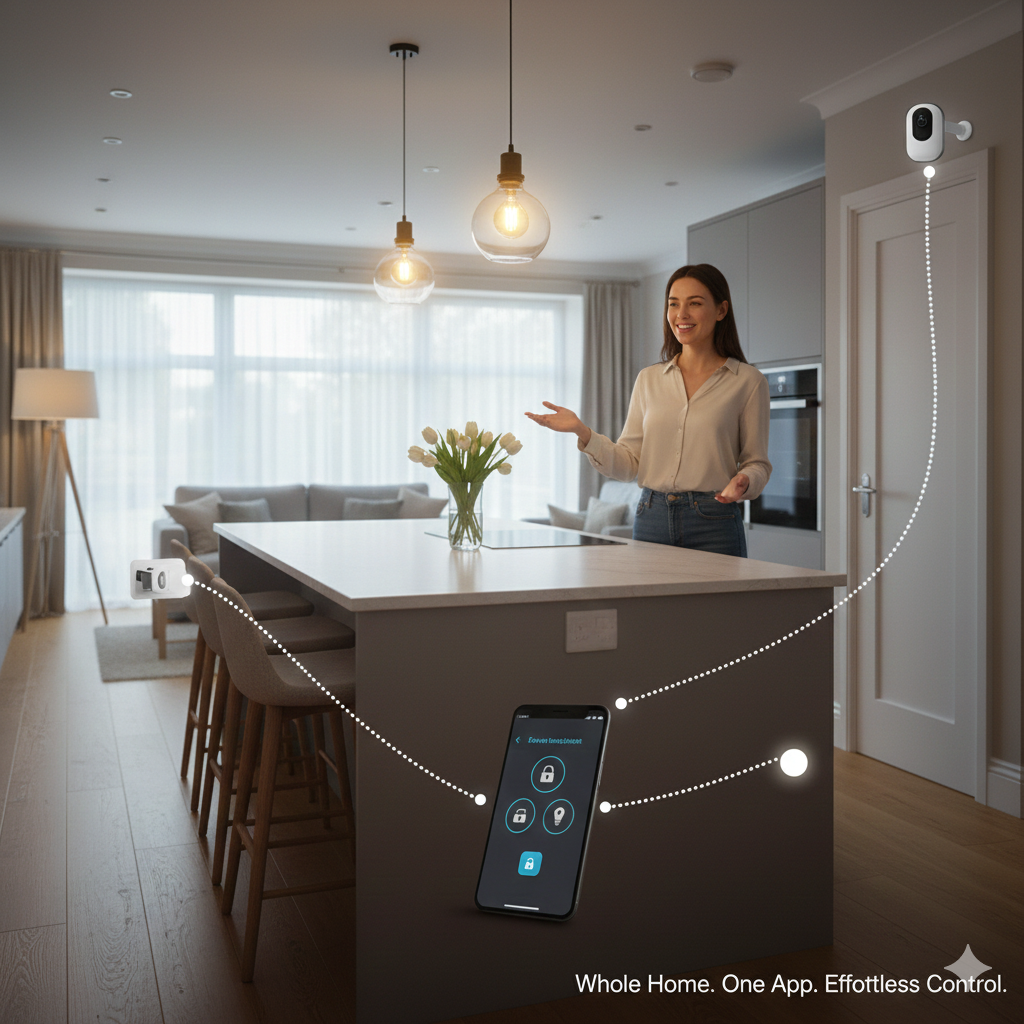
Consolidating scattered brand apps into a primary platform is a proven way to simplify daily control and routines, easing the “app sprawl” many users feel before centralising.
Onboarding plan: connect everything without chaos
- Pick your primary app and hub first. Decide your “home brain” (Alexa, Google Home, Apple Home, SmartThings, Home Assistant). If you choose a local‑forward route, add a compatible hub (Aeotec SmartThings, Apple TV/HomePod, or a Home Assistant setup with Zigbee/Z‑Wave).
- Add mains‑powered repeaters before battery devices. Plug‑in Zigbee bulbs/plugs and Thread routers build a solid mesh. Once repeaters are in place, pair battery sensors and locks for reliable coverage.
- Onboard by room, not by product type. Pair and label devices per room (Hall, Lounge, Kitchen). Keep names human‑readable: “Hall Light,” “Back Door Lock,” “Landing Sensor.”
- Link brand bridges, then expose to your one app. If you use Philips Hue, Tapo, or Eufy bridges, keep them. Connect the bridge to your main platform via Matter, native integration, or the platform’s skill. This preserves stability while giving unified control.
- Enable presence and household accounts. Add family members to your app for shared control. Turn on presence (phones, geofencing) for “arrive/leave” scenes. Use roles for lock/camera access.
- Create starter scenes and test locally. Build core scenes: Good Morning, Evening, Away, Movie. Test triggers and timing in each room. Shift critical routines (lights, locks) to local where possible for speed and resilience.
Consolidating to one app reduces the friction of switching dashboards and makes routines feel smoother day to day.
Devices and protocols: make mixed brands play nicely
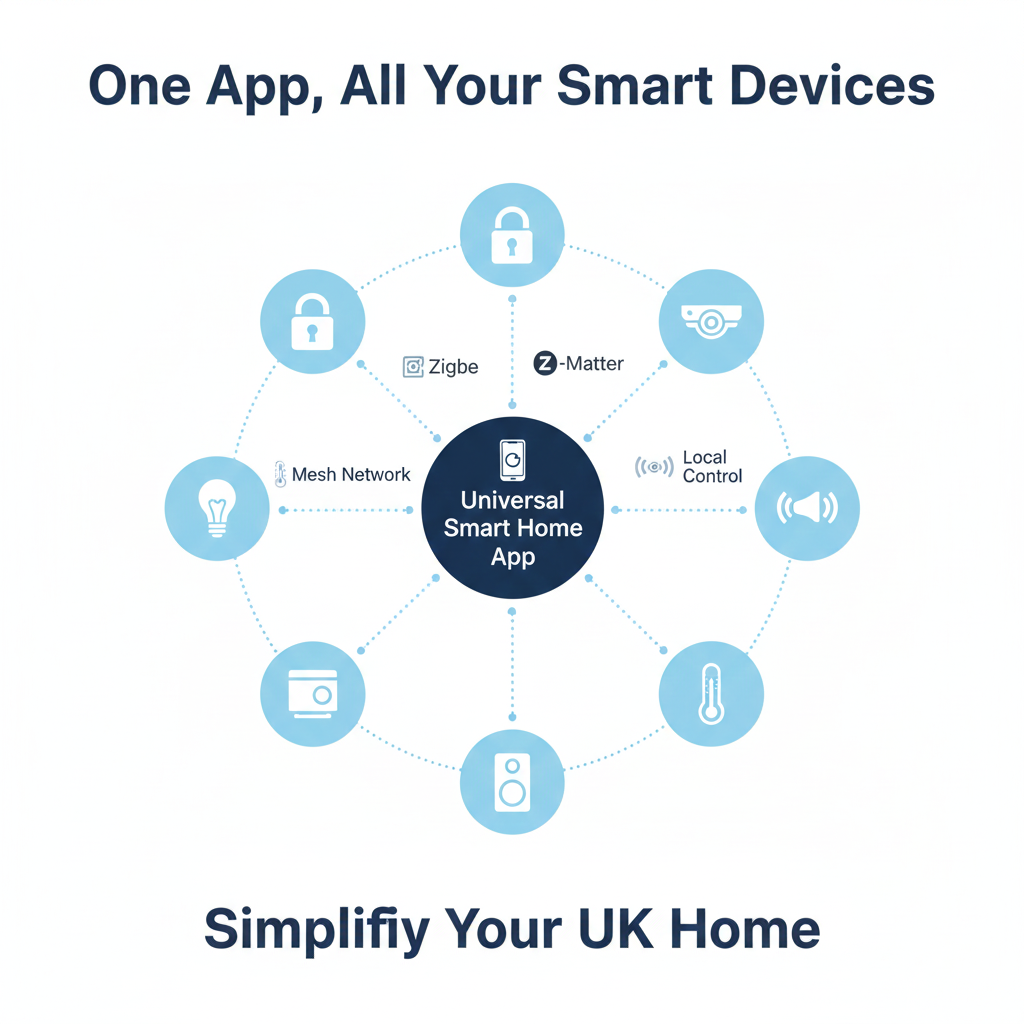
- Zigbee and Z‑Wave for reliability: Use them for sensors, plugs, and locks. They’re low‑power, mesh well, and don’t rely on Wi‑Fi. Home Assistant and SmartThings support both; Apple/Google/Amazon lean into Matter/Thread while still integrating Zigbee via bridges or hubs.
- Matter for cross‑ecosystem compatibility: Newer bulbs, plugs, and sensors that speak Matter can join multiple platforms more easily. Thread‑based Matter devices build a robust, low‑power mesh that feels snappy once repeaters are in place.
- Wi‑Fi devices via brand bridges or skills: Keep camera doorbells, legacy bulbs, and appliance plugs on their native bridges for stability; expose them to your primary app for unified control. This keeps firmware updates and features intact while giving you single‑app scenes.
- Cameras and storage considerations: Where possible, prefer local viewing/recording (HomeKit Secure Video, Home Assistant + NAS, or hubs with onboard storage). Cloud clips are convenient; local storage offers speed and privacy. Home Assistant excels at local integrations and add‑ons for cameras and non‑cloud workflows.
Automations that matter: beginner to advanced
- Beginner essentials:
- Evening lighting: Sunset → warm lights on in occupied rooms; lux sensor disables lights when bright.
- Away scene: Everyone leaves → turn off non‑essential lights, smart plugs; arm motion/contact sensors.
- Front door routine: Unlock → hall light on; door opens → notify if nobody is home.
- Comfort and energy tips:
- Bedroom wind‑down: 10:30pm → dim lights to amber; pause loud notifications.
- Kitchen kettle plug: Morning presence → enable kettle plug for 30 minutes; cut power after.
- Heating guard: Window opens → pause heating; resume when closed.
- Security overlaps:
- Lock + camera synergy: Lock tamper → start clip; send snapshot.
- Guest code window: Temporary lock codes active only during guest hours; auto‑disable after checkout.
- Advanced logic (local‑first): Use Home Assistant or SmartThings Rules for compound conditions: lux + presence + time. Home Assistant’s integrations and add‑ons let you keep these fast and local, often outperforming cloud‑dependent routines.
UK‑specific setup tips: placement, walls, Wi‑Fi
- Hub placement: Put hubs centrally, away from metal cabinets and thick stone or brick. Terraced and semi‑detached homes often need one or two powered Zigbee/Thread repeaters per floor to avoid dead spots.
- Router hygiene: Choose a clear 2.4 GHz channel; disable “smart” features that block multicast/broadcast (they can break discovery). Give hubs a reserved IP to prevent reconnect delays.
- Power and safety: Keep bridges and hubs on surge‑protected strips. Use short, high‑quality cables to avoid power dropouts.
- Loft and conservatory caution: Avoid placing hubs or repeaters in extremely hot or cold spaces; temperature swings degrade performance. Store battery sensors indoors, not in damp utility rooms.
One‑app migration: step‑by‑step example
- Audit devices and apps. List brand apps (Hue, Tapo, Eufy), devices (bulbs, plugs, sensors, cameras), and their protocols (Wi‑Fi, Zigbee, Thread).
- Select your platform. Choose Alexa for simplicity and voice, Apple Home for privacy/local, SmartThings or Home Assistant for depth and mixed protocols.
- Connect bridges to your platform. Link Hue/Tapo/Eufy bridges using the platform’s skill or Matter. Confirm all devices appear in your primary app.
- Build scenes and test latency. Start with Evening, Away, and Good Morning. If triggers feel slow, prefer local automations (Apple Home, Home Assistant; SmartThings where supported) and minimise cloud hops.
- Phase legacy Wi‑Fi gear into mesh protocols. When upgrading, choose Zigbee/Thread for sensors/plugs. Your mesh strengthens, and routines get faster and more reliable over time.
Unifying devices under one app reduces juggling and makes daily control smoother, particularly when moving brand‑specific gear into a central platform like Alexa or similar.
Troubleshooting: fix the common pain points
- Devices not discovered: Ensure they’re on 2.4 GHz; temporarily disable VPNs/ad blockers; reset pairing mode; bring device near the hub during onboarding.
- Routines fire slowly: Shift critical automations to local; reduce cloud dependencies; add repeaters; keep rules lean with clear triggers.
- Sensors drop offline: Strengthen the mesh with mains‑powered Zigbee/Thread devices between hub and sensor; avoid metal frames that block signal.
- Cameras stutter: Prefer LAN viewing; set a reserved IP; reduce Wi‑Fi congestion; where possible, record locally for faster clip start.
- Voice command confusion: Use unique names per room; avoid “Light” for every device. Try “Lounge Lamp,” “Hall Light,” “Back Door Lock.”
✍️ Author Insight
One catch I didn’t expect when unifying devices was how much thick UK walls slowed down Wi‑Fi and Zigbee signals. My smart sensors in the back bedroom kept dropping offline, and routines felt unreliable. The fix turned out to be simple: I added one mains‑powered Zigbee plug halfway along the hall, which acted as a repeater. That small change stabilised the whole system, and now I always recommend placing hubs centrally and using powered devices to strengthen the mesh in older UK homes.
For official, trusted UK advice on reducing energy use, the Energy Saving Trust has clear, practical guidance on saving electricity at home.
https://energysavingtrust.org.uk
Smart Home Tips 🏡
If you’re consolidating devices into one app, it’s worth exploring how to keep them running efficiently. Our guide on How to Extend Battery Life on Rechargeable Devices (Practical UK Tips) shows simple ways to save money and reduce waste. And if you’re ready to expand your setup, Best Smart Hubs & Bridges UK (Connect Lights, Locks & Sensors) explains which hubs make lights, locks, and sensors work together seamlessly.
Example setups that feel great
- Starter Alexa home: Echo as main app, Hue Bridge linked, smart plugs for lamps, a few Zigbee sensors via a compatible hub or Matter. Scenes: Evening, Away, Movie. Smooth voice + app control, easy household sharing.
- Privacy‑forward Apple Home: HomePod/Apple TV as hub, Matter/Thread bulbs and sensors, HomeKit Secure Video for cameras. Local automations for lighting and door routines; tight iOS presence.
- Power‑user Home Assistant: Raspberry Pi or mini PC running Home Assistant; Zigbee2MQTT or Z‑Wave JS; LAN cameras; UPS for resilience. Unified dashboard, lightning‑fast local routines, broad device support via integrations.
When to keep brand bridges
- Stability and features: Hue, Tapo, and similar bridges often deliver the best firmware support and scene features. Keep them, expose devices to your main app.
- Migration path: Use bridges to unify legacy Wi‑Fi gear now; gradually replace with Matter/Thread/Zigbee for a healthier mesh.
- Cameras and storage: If your hub offers local storage or reliable LAN viewing, prefer that for speed and privacy; otherwise, cloud clips are fine for convenience.
Final take
Pick one platform that fits how your household actually uses tech: Alexa for ease and voice, Apple for privacy and local speed, Google for simplicity, SmartThings for polished breadth, or Home Assistant for full‑fat local control. Build a strong mesh with mains‑powered devices, keep brand bridges for stability, and push critical routines to local where possible. Consolidation transforms a pile of gadgets into a home that responds quickly, consistently, and without the daily app shuffle — a change many people notice immediately after unifying their devices into a single app
Brighten your home and lower your bills with the Smart Lighting & Power Saving Tech Hub explore smart bulbs, motion sensors, and rechargeable gadgets that make efficiency easy.
Written by Andy M. — breaking down UK-friendly tips that make your home more efficient without big changes.
Hello http://savewiseliving.com,
We create modern, user-friendly websites that help brands stand out and attract more customers. Our focus is on design, performance, and user experience — so your visitors stay longer and take action.
Can I share a few design suggestions for your site? Please share you’r refrence Website Link and Whatsapp Number.
Thank You,
Deepak