
Why Battery Care Matters in the UK
Rechargeable devices are everywhere — from smartphones and laptops to cordless vacuums, e‑bikes, and even garden tools. Yet many UK households find themselves replacing batteries far sooner than expected. The truth is, most batteries don’t fail because they’re “bad,” but because of how they’re used and stored.
With energy costs rising and devices becoming more essential, learning how to extend battery life is one of the simplest ways to save money, reduce waste, and keep your tech running smoothly. This guide covers practical, UK‑specific tips that apply to everyday devices, blending science with real‑world habits.
🧠 Understanding Rechargeable Batteries
Most modern devices use lithium‑ion (Li‑ion) or lithium‑polymer (Li‑Po) batteries. These are lightweight, powerful, and recharge quickly. But they’re sensitive to heat, deep discharges, and poor charging habits.
Key points to know:
- Charge cycles matter: Each full charge/discharge cycle slightly reduces capacity.
- Partial charging is healthier: Keeping batteries between 20–80% extends lifespan.
- Heat is the enemy: High temperatures accelerate wear and shorten battery life.
✅ Everyday Charging Habits
1. Recharge Before You Hit Empty Running a battery down to 0% puts extra strain on its cells. Aim to plug in when your phone or laptop dips below 20–30%. For example, topping up your phone in the evening before bed is far healthier than letting it die overnight and charging from zero in the morning.
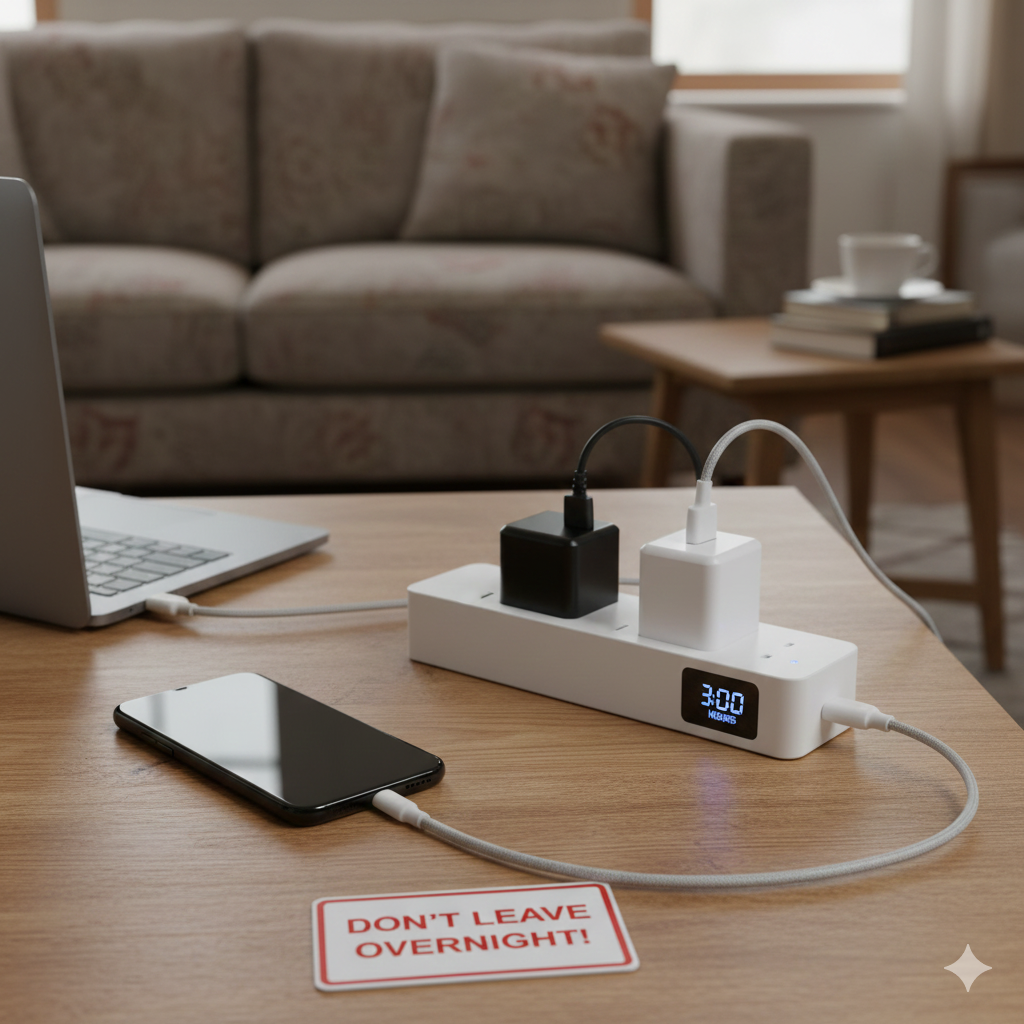
2. Don’t Keep Devices at 100% All Night Leaving a device plugged in for hours after it’s full keeps the battery under stress. If you charge overnight, consider using a smart plug or timer that cuts power after a set period. A simple two‑hour timer plug from a DIY store can stop your laptop or phone sitting at 100% until morning.
3. Stick to Certified Chargers Unbranded chargers often deliver inconsistent voltage, which can shorten battery life or even cause overheating. Manufacturer‑approved or CE‑certified chargers are worth the small extra cost. For instance, using a proper USB‑C PD charger ensures your laptop charges quickly and safely, while a cheap knock‑off may struggle or damage the port.
4. Use Fast Charging in Moderation Fast charging is convenient, especially when you need a quick boost before heading out. But constant use generates extra heat, which wears batteries faster. A good habit is to use fast charging when you’re short on time, and switch to standard charging when you’re at home or working at your desk. That way, you balance speed with long‑term battery health.
🏠 UK Home Habits That Affect Battery Life
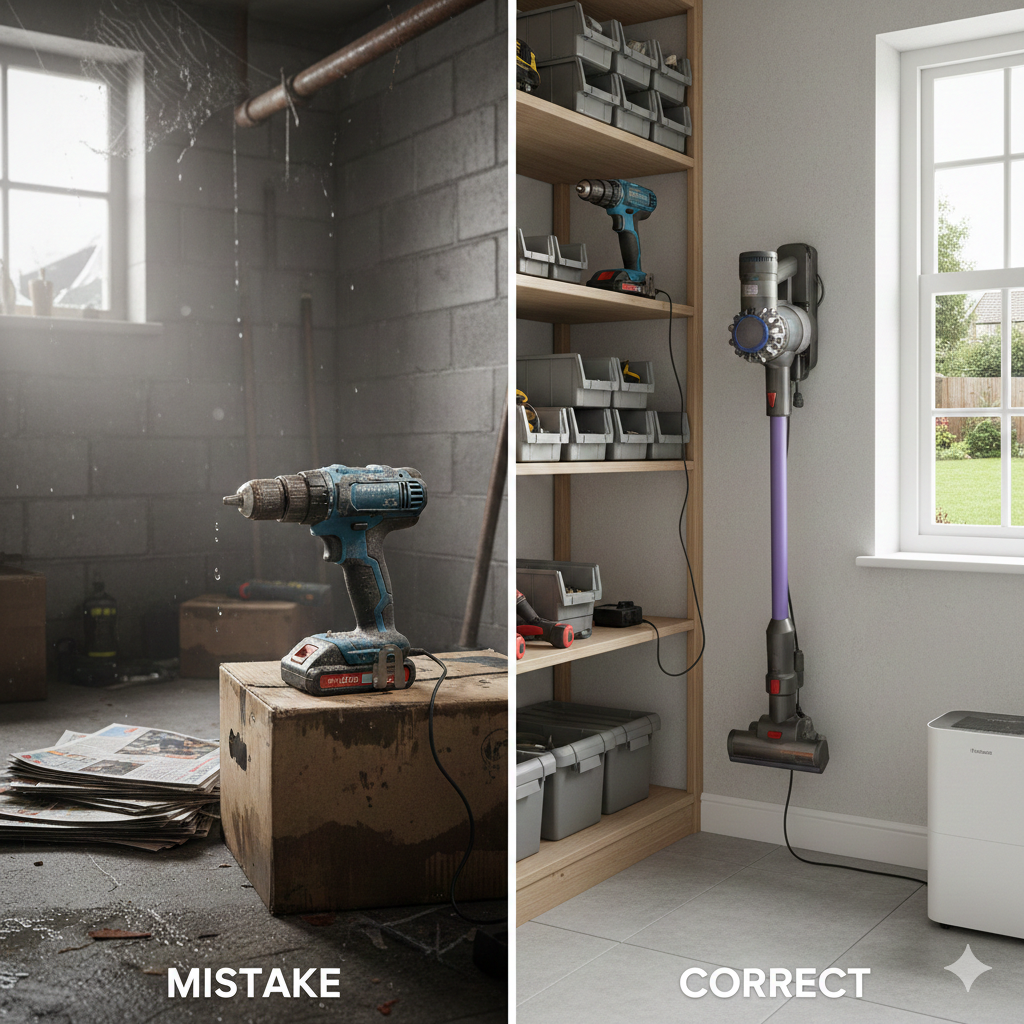
Damp & Cold Storage
Many UK homes have unheated lofts, garages, or sheds. Storing rechargeable tools in these spaces can expose batteries to damp and cold, reducing performance. Always store in a dry, moderate‑temperature room.
Tight Spaces & Radiators
Placing devices near radiators or in cramped cupboards traps heat. Keep airflow clear when charging.
Winter vs Summer
- Winter: Cold slows chemical reactions, so batteries drain faster outdoors. Warm them up indoors before charging.
- Summer: Heat waves can cause overheating — avoid charging in direct sunlight or conservatories.
For official, trusted UK advice on reducing energy use, the Energy Saving Trust has clear, practical guidance on saving electricity at home.
https://energysavingtrust.org.uk
🧰 Device‑Specific Tips
Smartphones
- Lower screen brightness and use dark mode.
- Turn off background apps and location services when not needed.
- Keep a portable power bank handy to avoid deep drains.
Laptops
- Use battery saver mode for everyday tasks.
- Don’t keep plugged in constantly — let it cycle between 40–80%.
- Clean vents to prevent overheating.
Cordless Vacuums & Tools
- Empty dust containers regularly — motors work harder when clogged.
- Charge after use, but don’t leave plugged in for days.
- Store indoors, not in sheds or garages.
E‑Bikes & Scooters
- Charge after rides, but avoid topping up after every short trip.
- Store batteries indoors during winter.
- Use partial charges if not riding daily.
⚡ Smart Accessories That Help
- Smart Plugs: Set timers to stop overnight charging.
- Battery Monitoring Apps: Track health and cycles.
- Cooling Stands: For laptops, reduce heat buildup.
- Portable Power Banks: Prevent deep drains when travelling.
🌍 Environmental Benefits
Extending battery life isn’t just about saving money. It reduces electronic waste and lowers demand for new lithium mining. For UK households aiming to be greener, battery care is a practical step toward sustainability.
❓ FAQ
Q: Should I always use fast charging? Not always. It’s fine occasionally, but constant use generates heat.
Q: Can I store devices in the loft? Avoid it. UK lofts get too hot in summer and too cold in winter.
Q: How long should a rechargeable battery last? With good care, 3–5 years is typical for phones and laptops, longer for tools.
✍️ Author Insight – By Andrew
I used to think charging habits didn’t matter — I’d leave my phone plugged in overnight and store my cordless drill in the garage. Within a year, both batteries were noticeably weaker. Once I started unplugging devices after charging and keeping tools indoors, the difference was clear. It taught me that UK homes, with their damp corners and temperature swings, can quietly ruin batteries if you’re not careful.
🔗 More Smart Energy Solutions ⚡
If you’re focused on getting the most out of rechargeable devices, it’s worth exploring other ways to stay prepared and efficient. Our guide on Best Rechargeable Lanterns UK (For Power Cuts & Camping) highlights reliable lighting options that keep you safe during outages or outdoor trips. And if you’re looking to keep phones, tablets, and laptops powered up on the go, check out Top Smart Power Banks UK (Fast-Charging & Safety Features) essential picks for fast, safe charging wherever you are.
🧠 Final Thoughts
Rechargeable devices are investments, and their batteries are the heart of that investment. By adopting smarter charging habits, storing devices properly, and using simple accessories, UK households can extend battery life significantly.
Here’s the quick checklist:
- Keep batteries between 20–80%.
- Avoid heat and damp storage.
- Use certified chargers and smart plugs.
- Store devices indoors, away from radiators or lofts.
- Monitor health with apps or built‑in tools.
These practical steps help you save money, reduce waste, and keep your devices running longer. Treat your batteries well, and they’ll return the favour with years of reliable performance.
Brighten your home and lower your bills with the Smart Lighting & Power Saving Tech Hub explore smart bulbs, motion sensors, and rechargeable gadgets that make efficiency easy.
Written by Andy M. — sharing clear, honest advice on smart tech and everyday upgrades that reduce wasted energy.