
A genuinely helpful guide for normal households who just want a laptop that lasts, works, and doesn’t cost a fortune to run.
If you’re looking for a laptop under £500 in the UK, let me tell you something I wish someone had told me sooner:
You don’t need a £1,000 MacBook to get a reliable, long-lasting, everyday laptop.
You just need to avoid the traps — and there are plenty of traps in the budget category.
Some laptops look amazing on Amazon until you realise they have 4GB RAM and freeze the moment you open Zoom. Others come with old processors that overheat, drain your battery and make a simple browser session feel like a marathon. And some are… honestly… priced cheaply because they’re built cheaply.
The good news?
There are genuinely great laptops under £500 — laptops that stay fast, stay cool, run efficiently, and happily handle everything most UK households do day-to-day.
And after going through the spec sheets, reviews, energy ratings, and real-life user experiences, I’ve narrowed it down to five laptops that actually deliver value, without the usual compromises.
We’re talking:
- fast enough for work and study
- great for Netflix and YouTube
- low energy use
- quiet fans
- good battery life
- no over-complicated features
- and no weird cut corners that leave you frustrated
Let’s walk through them in a way that’s clear, honest, and actually useful — no jargon, no nonsense.
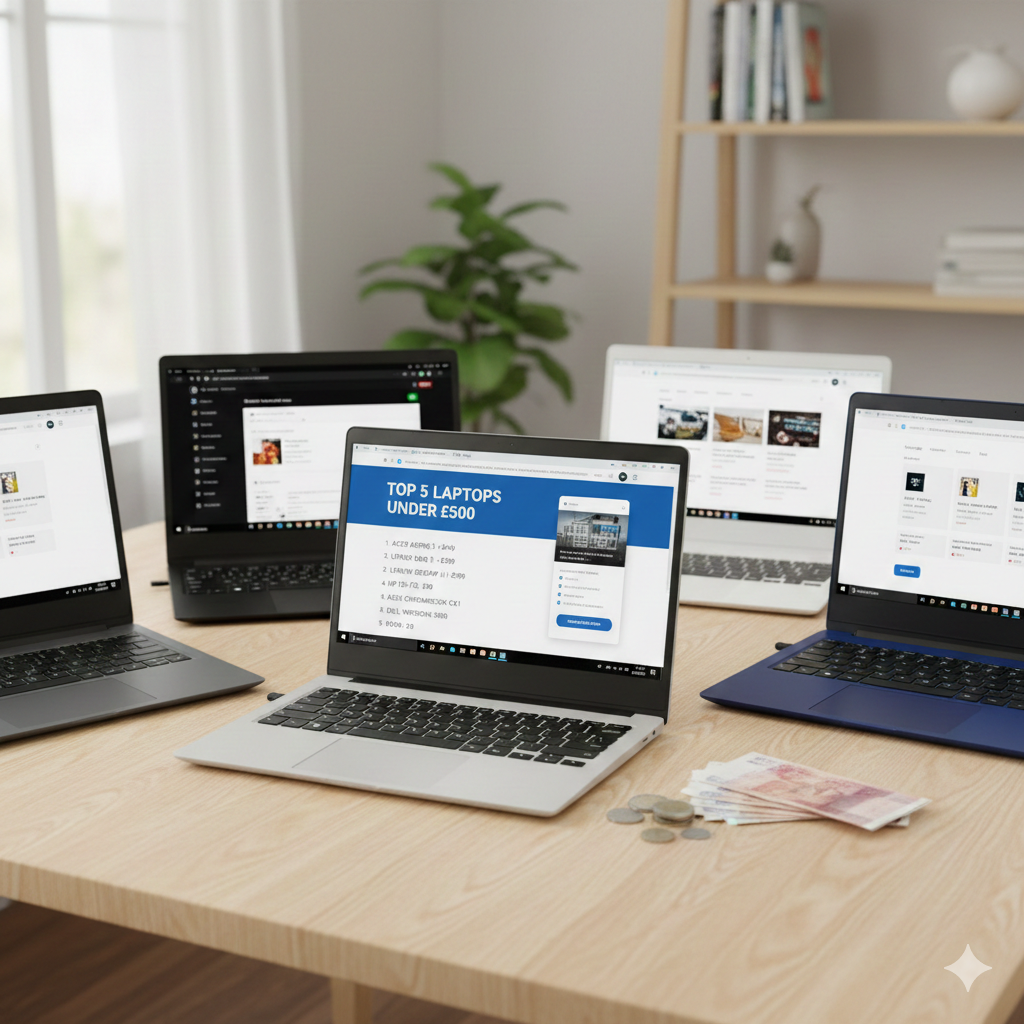
⭐ Quick Overview of the 5 Laptops
These are the exact laptops I’ll be reviewing:
1. Lenovo IdeaPad Slim 3 (Intel i3-N305)
If you asked me to pick one laptop under £500 that fits the average UK household best, it’s this one.
The Lenovo Slim 3 series has been the “solid choice” for years — and this model continues that trend.
⭐ What It’s Actually Like to Use
Straight away, it feels snappy.
You open Chrome → it responds.
You load Netflix → it plays instantly.
You switch between tabs → no lag.
And that’s partly because the Intel N305 is deceptive — it’s a low-power chip, but it’s surprisingly smooth for everyday workloads.
It doesn’t pretend to be something it’s not.
It’s not trying to run high-end editing software.
It’s not trying to handle 20 Chrome tabs at once.
It’s built for real life — and in real life, it performs beautifully.
The keyboard is comfortable, the screen is clear, and the build quality feels better than the price suggests. You don’t get that “plastic toy” feeling that some budget laptops have.
🔋 Energy Efficiency (Very Good)
The N305 chip is made to sip power, not guzzle it.
You’ll notice:
- cool operation
- quiet fans
- long battery life
- low electricity use
If you’re someone who uses a laptop daily for 3–5 hours, this is one of the cheaper models to run.
👍 Pros
- Very fast for the price
- Great battery life
- Lightweight and portable
- Solid build
- Perfect for students, home use & remote work
👎 Cons
- Speakers are okay, not amazing
- Not for demanding apps
2. Acer Aspire Go 15 (Intel Core i3)
If you want a laptop that feels more like a traditional office computer — something you can use for work, study, and heavy multitasking — the Aspire Go 15 is a fantastic value pick.
⭐ What It’s Like to Use
This is the one that feels noticeably more powerful than the others thanks to the Intel Core i3. If you’re someone who likes having:
- emails
- spreadsheets
- a research document
- multiple tabs
- YouTube in the background
…all running at once, this laptop handles it without complaint.
The 15.6″ screen is a joy for productivity — big, bright and comfortable. If you find smaller screens a bit cramped, you’ll appreciate this immediately.
The build feels sturdy, and typing on it feels like something you could use all day at a desk.
🔋 Energy Efficiency
Because it’s using a Core i3, it’s not the most frugal laptop on this list — but modern i3 chips are still very efficient compared to older models.
If you want performance without stepping into £700 territory, this is the sweet spot.
👍 Pros
- Strong performance for multitasking
- Big, comfortable screen
- Great for work-from-home
- Good build quality
- Still well under the £500 mark
👎 Cons
- Not as portable as smaller laptops
- Battery life is decent, not outstanding
3. HP Chromebook 14 (Intel N100)
Chromebooks don’t get the credit they deserve. This one is fast. Really fast — not because the hardware is high-end, but because ChromeOS is lighter, cleaner, quieter, and far more efficient than Windows.
⭐ What It’s Like to Use
This is a laptop that boots fast, loads instantly, and stays smooth no matter how messy your browsing habits are.
If your world revolves around:
- Google Docs
- Google Classroom
- YouTube
- Netflix
- Gmail
- Online shopping
- Browsing
…you will LOVE how quick and effortless this feels.
There are no background apps fighting for resources. No huge Windows updates waiting to ambush you when you’re in a hurry. No bloatware to uninstall.
It just works — every time.
🔋 Energy Efficiency (Excellent)
ChromeOS is one of the most efficient operating systems in the world. Pair that with the N100 chip and you get:
- Fantastic battery life
- Low electricity usage
- Quiet, cool operation
It’s one of the cheapest laptops to run long-term.
👍 Pros
- Fastest everyday experience
- Very long battery life
- Perfect for school & web work
- Low maintenance
- Great value
👎 Cons
- Not ideal for heavy offline apps
- Limited offline storage
4. Acer Aspire Go 14 (Intel N150)
This one surprised me. For the price, you’d expect it to feel underpowered — but it doesn’t. It’s light, smooth, reliable, and perfect for families or students needing a second “grab-and-go” laptop.
⭐ What It’s Like to Use
For browsing? Perfect.
For writing assignments? Smooth.
For YouTube? No problem.
For Zoom? Handles it.
It’s not flashy. It’s not premium. But it’s solid, and that’s what matters in this price range.
The 14″ form factor keeps it portable, and the machine runs cool even with long use.
🔋 Energy Efficiency
The N150 chip is one of Intel’s lowest-power processors. Expect:
- great heat control
- very cheap energy consumption
- quiet fans
- excellent uptime
If you want a reliable everyday laptop that costs very little to run, this is high on the list.
👍 Pros
- Extremely affordable
- Lightweight and easy to carry
- Surprisingly smooth for everyday tasks
- Long-lasting battery
- Great student laptop
👎 Cons
- Not powerful enough for heavier workloads
- Basic speakers
5. HP 15.6″ Windows Laptop
If screen size is your priority — movies, spreadsheets, multitasking — this 15.6″ HP model is your best choice under £500.
⭐ What It’s Like to Use
The bigger display makes everything easier:
- browsing
- writing
- watching TV
- reading emails
- managing documents
Paired with Windows, it feels like a proper home computer setup, especially when placed on a desk.
Performance is comfortably smooth for normal use, and the build quality feels dependable.
🔋 Energy Efficiency
Bigger screens use slightly more power, but HP do well at managing battery usage and heat.
If you want a “big laptop feel” without paying £600–£800, this is the one.
👍 Pros
- Large, clear screen
- Comfortable for long use
- Good for students & home offices
- Smooth everyday performance
👎 Cons
- Not ideal for heavy multitasking
- Bulky to carry
🧠 Before We Start: What You Actually Need Under £500 (Honest Answer)
Most people searching for laptops in this price range aren’t video editors or gamers.
You’re probably doing things like:
- browsing
- emails
- YouTube
- Zoom calls
- spreadsheets
- writing assignments
- online learning
- streaming TV
- light productivity work
Here’s the truth:
A well-chosen £300–£500 laptop can do all of that smoothly.
What actually matters?
✔ The processor (CPU)
You’ll mostly encounter Intel N-series and Intel Core i3.
In simple terms:
- Intel N-series (N100, N150, N305) → super efficient, cool, great for everyday tasks
- Intel Core i3 → more powerful, better for multitasking, slightly more energy use
✔ RAM (memory)
8GB is the sweet spot.
Anything less = guaranteed frustration.
✔ Storage
At this price, you’ll usually get 128GB–256GB.
SSD = fast and reliable
(every laptop in this list has an SSD)
✔ Screen
14″ is the “everyday sweet spot”.
15.6″ is better for productivity and movies.
✔ Operating system
ChromeOS = simple, fast, efficient
Windows = more versatile, more familiar
Now we’re on the same page — let’s go into the actual reviews.
🥇 1. Lenovo IdeaPad Slim 3 — The Best All-Rounder for Everyday UK Use
If you asked me to pick one laptop under £500 that fits the average UK household best, it’s this one.
The Lenovo Slim 3 series has been the “solid choice” for years — and this model continues that trend.
⭐ What It’s Actually Like to Use
Straight away, it feels snappy.
You open Chrome → it responds.
You load Netflix → it plays instantly.
You switch between tabs → no lag.
And that’s partly because the Intel N305 is deceptive — it’s a low-power chip, but it’s surprisingly smooth for everyday workloads.
It doesn’t pretend to be something it’s not.
It’s not trying to run high-end editing software.
It’s not trying to handle 20 Chrome tabs at once.
It’s built for real life — and in real life, it performs beautifully.
The keyboard is comfortable, the screen is clear, and the build quality feels better than the price suggests. You don’t get that “plastic toy” feeling that some budget laptops have.
🔋 Energy Efficiency (Very Good)
The N305 chip is made to sip power, not guzzle it.
You’ll notice:
- cool operation
- quiet fans
- long battery life
- low electricity use
If you’re someone who uses a laptop daily for 3–5 hours, this is one of the cheaper models to run.
👍 Pros
- Very fast for the price
- Great battery life
- Lightweight and portable
- Solid build
- Perfect for students, home use & remote work
👎 Cons
- Speakers are okay, not amazing
- Not for demanding apps
🥈 2. Acer Aspire Go 15 (Core i3) — The Best “Workhorse” Laptop Under £500
If you want a laptop that feels more like a traditional office computer — something you can use for work, study, and heavy multitasking — the Aspire Go 15 is a fantastic value pick.
⭐ What It’s Like to Use
This is the one that feels noticeably more powerful than the others thanks to the Intel Core i3. If you’re someone who likes having:
- emails
- spreadsheets
- a research document
- multiple tabs
- YouTube in the background
…all running at once, this laptop handles it without complaint.
The 15.6″ screen is a joy for productivity — big, bright and comfortable. If you find smaller screens a bit cramped, you’ll appreciate this immediately.
The build feels sturdy, and typing on it feels like something you could use all day at a desk.
🔋 Energy Efficiency
Because it’s using a Core i3, it’s not the most frugal laptop on this list — but modern i3 chips are still very efficient compared to older models.
If you want performance without stepping into £700 territory, this is the sweet spot.
👍 Pros
- Strong performance for multitasking
- Big, comfortable screen
- Great for work-from-home
- Good build quality
- Still well under the £500 mark
👎 Cons
- Battery life is decent, not outstanding
- Not as portable as smaller laptops
🥉 3. HP Chromebook 14 (Intel N100) — The Fastest “Simple Laptop” Experience
Chromebooks don’t get the credit they deserve. This one is fast. Really fast — not because the hardware is high-end, but because ChromeOS is lighter, cleaner, quieter, and far more efficient than Windows.
⭐ What It’s Like to Use
This is a laptop that boots fast, loads instantly, and stays smooth no matter how messy your browsing habits are.
If your world revolves around:
- Google Docs
- Google Classroom
- YouTube
- Netflix
- Gmail
- Online shopping
- Browsing
…you will LOVE how quick and effortless this feels.
There are no background apps fighting for resources. No huge Windows updates waiting to ambush you when you’re in a hurry. No bloatware to uninstall.
It just works — every time.
🔋 Energy Efficiency (Excellent)
ChromeOS is one of the most efficient operating systems in the world. Pair that with the N100 chip and you get:
- Fantastic battery life
- Low electricity usage
- Quiet, cool operation
It’s one of the cheapest laptops to run long-term.
👍 Pros
- Fastest everyday experience
- Very long battery life
- Perfect for school & web work
- Low maintenance
- Great value
👎 Cons
- Not ideal for heavy offline apps
- Limited offline storage
🔄 4. Acer Aspire Go 14 (N150) — Best Everyday Laptop for Under £300
This one surprised me. For the price, you’d expect it to feel underpowered — but it doesn’t. It’s light, smooth, reliable, and perfect for families or students needing a second “grab-and-go” laptop.
⭐ What It’s Like to Use
For browsing? Perfect.
For writing assignments? Smooth.
For YouTube? No problem.
For Zoom? Handles it.
It’s not flashy. It’s not premium. But it’s solid, and that’s what matters in this price range.
The 14″ form factor keeps it portable, and the machine runs cool even with long use.
🔋 Energy Efficiency
The N150 chip is one of Intel’s lowest-power processors. Expect:
- great heat control
- very cheap energy consumption
- quiet fans
- excellent uptime
If you want a reliable everyday laptop that costs very little to run, this is high on the list.
👍 Pros
- Extremely affordable
- Lightweight and easy to carry
- Surprisingly smooth for everyday tasks
- Long-lasting battery
- Great student laptop
👎 Cons
- Not powerful enough for heavier workloads
- Basic speakers
💻 5. HP 15.6″ Windows Laptop — Best Big-Screen Budget Laptop
If screen size is your priority — movies, spreadsheets, multitasking — this 15.6″ HP model is your best choice under £500.
⭐ What It’s Like to Use
The bigger display makes everything easier:
- browsing
- writing
- watching TV
- reading emails
- managing documents
Paired with Windows, it feels like a proper home computer setup, especially when placed on a desk.
Performance is comfortably smooth for normal use, and the build quality feels dependable.
🔋 Energy Efficiency
Bigger screens use slightly more power, but HP do well at managing battery usage and heat.
If you want a “big laptop feel” without paying £600–£800, this is the one.
👍 Pros
- Large, clear screen
- Comfortable for long use
- Good for students & home offices
- Smooth everyday performance
👎 Cons
- Bulky to carry
- Not ideal for heavy multitasking
🎯 Which One Should You Actually Buy? Honest Breakdown.
Here’s the simple, human answer:
✔ Best all-rounder:
Lenovo IdeaPad Slim 3
Most people will love this. It’s reliable, balanced, and fast enough for everyday use.
✔ Best for working from home:
Acer Aspire Go 15 (i3)
Bigger screen + better performance = easier workdays.
✔ Best for battery life & simplicity:
HP Chromebook 14
If you mainly use the web, this is the fastest-feeling laptop on the list.
✔ Best budget choice:
Acer Aspire Go 14 (N150)
Shockingly good for the price.
✔ Best big display for movies & spreadsheets:
HP 15.6″ Windows Laptop
🧩 A Little Buyer’s Guide: How to Pick the Perfect Laptop Under £500
Here’s the real, practical advice you actually need:
✔ If you want speed → choose a Chromebook
They feel faster because ChromeOS is lighter.
✔ If you want versatility → choose Windows
Better for software like Office, Zoom, and work apps.
✔ If you multitask → choose an i3
Core i3 handles more Chrome tabs and apps.
✔ If you want long battery life → choose N100/N150/N305
These chips are incredibly efficient.
✔ If you want something for kids → choose something under £300
Kids don’t need huge performance — durability and simplicity matter more.
✔ If screen size matters → 15.6” makes a difference
Great for productivity, movies, spreadsheets.
⚡ Energy-Saving Tips (Unique to SWL — real household benefits)
No one else really talks about this, but how you use your laptop affects energy bills more than you’d think.
✔ Lower screen brightness
This alone can reduce energy usage by 20–40%.
✔ Use Battery Saver mode
Windows and ChromeOS both have excellent power-saving modes now.
✔ Close unnecessary tabs/apps
More open = more CPU = more watts.
✔ Don’t charge overnight
You waste electricity and shorten your battery lifespan.
✔ Get a GaN charger
They’re smaller, run cooler, and charge more efficiently.
✔ Keep your laptop dust-free
Dust = heat = wasted energy.
Small habits = long-term savings.

🧑💻 Author Insight: A Human, Honest Note
When I review budget laptops, I always expect the same thing — compromises.
And yes, there are compromises under £500… but not the ones you fear.The truth is, the right budget laptop can feel amazing for daily use. Smooth, quiet, reliable, efficient. You don’t need a flagship laptop for email and browsing — you need a laptop that respects your time.
These five models do exactly that:
- they don’t freeze randomly
- they don’t overheat
- they don’t drain power
- they don’t feel cheap and flimsy
- they don’t slow down after 6 months
They’re honest, sturdy laptops for real life.
And honestly? That matters more than specs ever will.
🔗 Want More Budget Tech That Makes Life Easier?
If you liked this laptop guide, you’ll probably enjoy diving into a few of our other money-saving tech articles too. Start with Best Budget Smart Home Bundles That Actually Save You Money — Not Just Look Clever, where we break down the value-for-money kits that genuinely reduce bills instead of adding clutter. Then check out Best Budget Smart Accessories That Help You Save — Without Changing Your Routine, a simple guide to plug-in devices that save energy automatically without any extra effort from you.
Conclusion: The Laptop That Gives You the Most for Your Money
Choosing a laptop under £500 doesn’t need to be stressful, and it certainly shouldn’t leave you feeling like you’ve “settled” for something that will slow down in six months. The truth is, the budget laptop market has quietly levelled up in the last few years. You can now get machines that are genuinely fast, genuinely reliable, and genuinely energy-efficient — without stepping anywhere near the £1,000 mark.
Every laptop on this list has its own strengths:
- some are made for multitasking
- some prioritise battery life
- some give you a big, comfortable display
- some focus on simplicity and speed
But if we strip everything back — performance, value, energy efficiency, build quality, everyday usability — and ask the simple question:
“Which laptop gives the average UK household the best experience for the least money?”
There is one clear winner.
⭐ BEST OVERALL PICK: Lenovo IdeaPad Slim 3 (Intel i3-N305)
If you just want something that works — no fuss, no noise, no slowdowns — the Lenovo Slim 3 is the perfect everyday laptop under £500.
It’s fast enough for work, simple enough for students, reliable enough for long-term use, and efficient enough that you won’t be hunting for the charger every hour. It nails the balance between performance, portability, battery life and price in a way most budget laptops don’t.
In short:
It’s the laptop most people should buy — and the laptop most people will be happiest living with day after day.
For energy consumption data and UK household electricity guidance, you can check the latest figures on Ofgem’s official website, which publishes regularly updated insights on average appliance energy use across the UK.
Explore more energy-efficient devices and budget-friendly upgrades in our Everyday Tech Savings Hub UK from smart gadgets to larger home tech that cuts costs without compromise.
Written by Andy M. — simplifying energy savings and smart home tips for real UK households.