
Last Updated: 6th April 2026
Most people assume that saving money on energy bills means either spending a lot on smart home systems or making significant changes to how they live. Neither is true. Some of the most effective energy-saving upgrades available cost under £20, plug straight into a standard UK socket, and start working immediately — no rewiring, no subscription, no app that requires three attempts to set up.
These are the accessories that quietly reduce waste in the background while your household carries on as normal. The Everyday Tech Savings Hub covers the full picture of tech-based energy saving — this article focuses specifically on the budget accessories that make the biggest practical difference without asking much from you in return.
Smart Plugs With Energy Monitoring
The most useful budget smart accessory available for UK homes right now is a smart plug with energy monitoring built in — and it earns that position because it does two things simultaneously: it lets you control when an appliance runs, and it shows you exactly how much electricity that appliance is using.
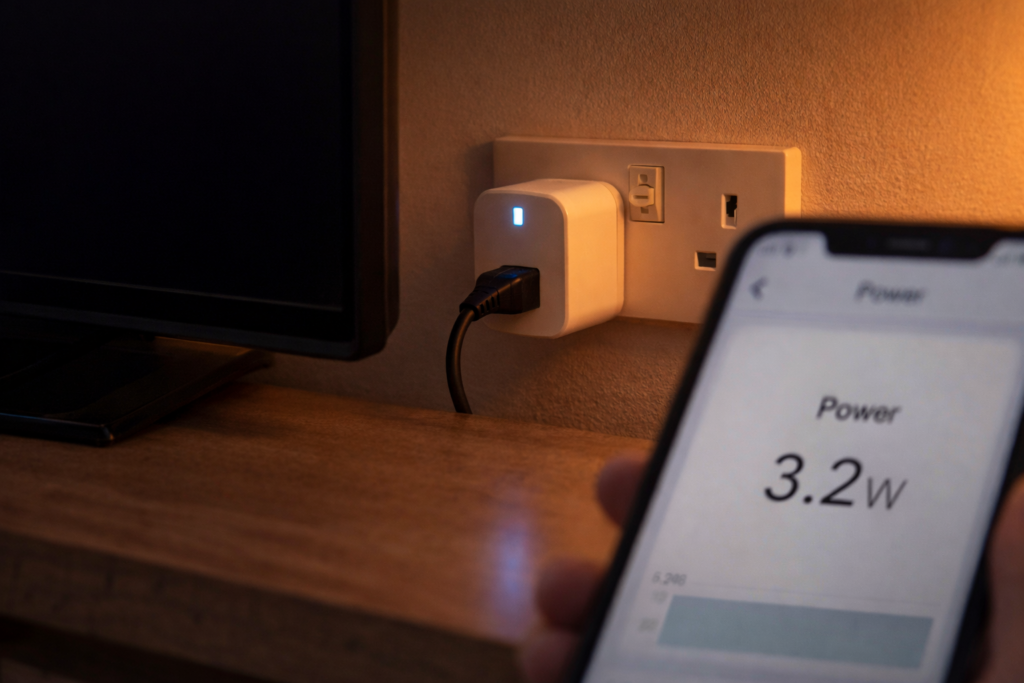
The monitoring part is the piece most people underestimate until they’ve actually used one. Plugging a smart plug with energy monitor into the socket behind the television and watching the standby draw in real time is one of those small moments that changes how you think about appliances permanently. Most televisions draw 1–3W on standby continuously. Multiply that across a year at 24p per kWh and it’s not enormous — but add the same calculation to a games console, a printer, a broadband router left running through the night, and a microwave with a clock display, and the cumulative standby cost across a household becomes genuinely visible for the first time. If standby waste is something you’ve started paying attention to, the smart timers and auto-off gadgets worth knowing about covers the dedicated scheduling devices that work alongside smart plugs for appliances that don’t need app control.
The scheduling function builds on that. Set the plug to cut power entirely during the hours you know the appliance isn’t being used — overnight for entertainment systems, during working hours for a home office setup, after a fixed time for anything left on by a distracted teenager — and the saving happens without any ongoing effort.
The TP-Link Tapo P110 is the model that consistently appears at the top of UK energy-saving recommendations. App-based scheduling, voice control through Alexa and Google Home, real-time energy monitoring, and a compact design that doesn’t block the adjacent socket. Available on Amazon UK at a price point that pays itself back within weeks on most household setups.
I fitted one behind the TV unit last winter after noticing the electricity monitor was showing a constant draw from that corner of the room even late at night. The standby figure when I checked wasn’t surprising in isolation — but seeing it confirmed and then scheduled off overnight felt like closing a door that had been quietly open for years.
Plug-In Timer Sockets
Before smart plugs existed, plug-in timer sockets were the standard solution for scheduling appliances — and for households that don’t want an app involved, they still are. A plug-in timer socket requires no WiFi, no account, no ongoing setup. You set the on and off times using the physical pins or dial on the device, plug in the appliance, and it follows that schedule from that point forward without any further input.
The use cases are specific and genuinely useful. Electric towel rails that run all day when they’re only needed in the morning and evening. A fan heater in a home office that should cut off when the working day ends. A dehumidifier that runs on a fixed cycle rather than continuously. A phone charger that’s left plugged in overnight — a plug-in countdown timer variant cuts power after a set duration rather than at a fixed time, which suits charging applications where the exact finish time varies.
At 24p per kWh, an electric towel rail drawing 60W and running for 20 unnecessary hours a week costs roughly £15 per month. A timer socket that limits it to the hours it’s actually useful costs under £10 and pays for itself in the first week. That’s the kind of maths that doesn’t require much analysis.
No app. No hub. No learning curve. Just a physical timer that does exactly what it’s told.
Smart LED Bulbs
Switching to LED lighting is one of the most established energy-saving changes available — a standard LED uses around 80% less electricity than an incandescent equivalent and lasts significantly longer. But smart LED bulbs take that baseline saving further by adding scheduling and dimming that a standard LED doesn’t have.
A smart bulb set to turn off automatically at a fixed time removes the human error element that most households have simply accepted as part of life. For households looking at a broader upgrade across multiple devices at once rather than individual accessories, the smart home upgrades under £50 that pay for themselves covers the combinations that offer better value than buying separately.
Dimming matters for running costs in a way that’s less obvious. A bulb running at 70% brightness uses roughly 70% of its full rated wattage. In a living room where full brightness isn’t needed most of the evening, dimming to a comfortable level produces a genuine saving across the hours that room is in use. Over a winter of long evenings that adds up.
The TP-Link Tapo L530E and Govee smart bulbs are both well reviewed on Amazon UK at accessible price points, work with Alexa and Google Home without a hub, and fit standard UK bayonet or E27 screw fittings. A smart LED bulb in the rooms used most — living room, kitchen, bedroom — produces the most return for the initial cost.
We switched the living room and kitchen to smart bulbs and the main change in practice was that the lights are now on a dimmed evening setting from around 7pm rather than full brightness until someone goes to bed. The electricity saving is real. The ambience improvement was a bonus we didn’t expect to care about and now notice when we’re somewhere without it.
Smart Extension Leads
A smart extension lead addresses the specific problem of multiple devices plugged into one location — entertainment systems, desk setups, kitchen counter clusters — where individually switching each device off is too inconvenient to do consistently, and the cumulative standby draw from leaving them all on adds up quietly across the day.
The individually switchable socket design is what makes these genuinely useful rather than a gimmick. Rather than cutting power to everything at once — which causes problems if anything in the strip needs to stay on — a smart extension lead with individual switches lets you assign each socket independently. The television, the set-top box, and the games console can all be cut overnight. The broadband router stays on. The scheduling is set once and then runs without involvement.
For a home office setup this is particularly effective. If working from home is where most of your daytime energy use happens, smart gadgets that help you save energy while working from home covers the broader picture of reducing home office running costs without affecting comfort or productivity. A desk with a computer, monitor, printer, desk lamp, and phone charger in a multi-way strip can draw 15–30W of combined standby continuously when none of those devices is actively being used. Scheduling the whole strip to cut outside working hours removes that entirely.
No WiFi is required on the basic versions — the physical switches per socket handle the control without any app involvement, which makes these accessible to anyone regardless of their comfort with smart home technology.
Fridge and Freezer Thermometers
Fridges and freezers run 24 hours a day, 365 days a year — which means they’re the appliances where inefficiency compounds most significantly over time. The two most common problems are running colder than necessary, which increases energy use without improving food safety, and running warmer than they should, which causes food to spoil before it should and creates waste that costs money regardless of the energy calculation.
The recommended temperature range for a fridge is 1–4°C. A freezer should sit at -18°C. Many domestic appliances run outside these ranges without anyone noticing — either because the thermostat dial isn’t calibrated accurately or because the appliance has developed a fault that isn’t yet obvious from the outside.
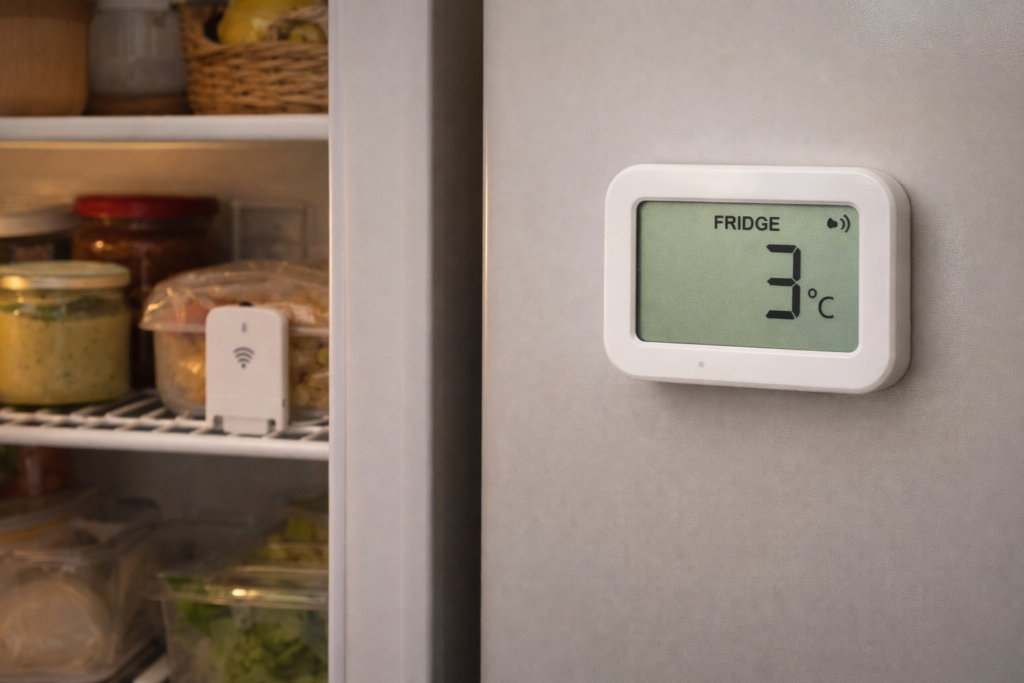
A wireless fridge thermometer with a display visible outside the appliance removes the guesswork entirely. Place the sensor inside, read the temperature on the external display, and adjust the dial until the reading is correct. It takes five minutes and produces ongoing energy savings if the appliance was running unnecessarily cold, or prevents ongoing food waste if it was running too warm.
The models with audible alarms are worth the small additional cost — an alert when the temperature spikes above the safe range catches door-left-open situations before they’ve caused any damage. For a household that does a weekly shop and loses food to unexpected spoilage regularly, the cost of a thermometer is recovered very quickly.
What’s Worth Starting With
For a household approaching this from scratch, the order that makes the most practical sense is straightforward.
The smart plug with energy monitor first — because before making changes, understanding what’s actually drawing power and when gives you the information needed to make every other decision more effectively. A week of monitoring the television, anything plugged in and forgotten in the utility room, and the heating system’s pump tells you more about your household’s energy use than any estimate.
The plug-in timer sockets second — because they address the specific problem of high-draw appliances that should be on a schedule but currently aren’t. Towel rails, fan heaters, dehumidifiers, and anything that runs more than it needs to are the target.
Smart LED bulbs third — the investment is low, the saving is consistent, and the scheduling removes the human error element from lighting permanently.
The fridge thermometer is worth buying alongside any of the above — it’s inexpensive, requires no setup beyond placing the sensor, and addresses a running cost that most households have never checked. If you’re unsure whether the gadgets you’re considering will actually deliver savings or just look convincing, how to spot smart gadgets that promise savings but don’t deliver is worth reading before spending anything — it covers the red flags that separate genuinely useful devices from marketing noise.
FAQ
Do these accessories work without a smart home hub?
The plug-in timer sockets and fridge thermometer require no hub, no WiFi, and no app — they work entirely independently. The smart plug and smart LED bulbs use WiFi and an app but don’t require a separate hub. The smart extension lead basic versions use physical switches only and need nothing else.
How much can smart plugs actually save?
It depends on what’s plugged in and how much it’s currently running unnecessarily. A device drawing 5W on standby for 20 hours a day costs roughly £8.76 per year at 24p per kWh — modest on its own. But most households have five to fifteen devices in a similar situation simultaneously. The energy monitoring function on a smart plug shows the actual figure for your specific appliances rather than requiring any estimation.
Are smart LED bulbs worth it if I already have standard LEDs?
The energy saving from switching is modest if you’ve already moved from incandescent to LED — the scheduling and dimming features produce the additional saving rather than the bulb technology itself. If you regularly leave lights on in empty rooms or run them at full brightness when lower would be sufficient, smart bulbs add meaningful value over standard LEDs.
Do plug-in timer sockets damage appliances?
No — cutting power to an appliance at a fixed time is equivalent to switching it off at the wall, which is how most appliances are designed to be used. The only exception is appliances with memory functions that lose settings when power is cut — set-top boxes being the most common example. Worth checking before scheduling anything that stores recordings or settings.
What’s the most cost-effective single purchase from this list?
For most households, the smart plug with energy monitoring — because the monitoring function pays for itself in information alone before any scheduling is applied. Understanding what’s drawing power in your home is the prerequisite for reducing it effectively.
Related Guides

About The Author – Andrew Marshall
Andrew Marshall is a Scottish homeowner and the creator of Save Wise Living. He shares practical ways to reduce energy bills, improve home efficiency, and make everyday household routines cheaper and simpler.